Construction Photo Documentation: AIA, AACE & UFGS Field Rules
Construction Photo Documentation: AIA, AACE & UFGS Field Rules
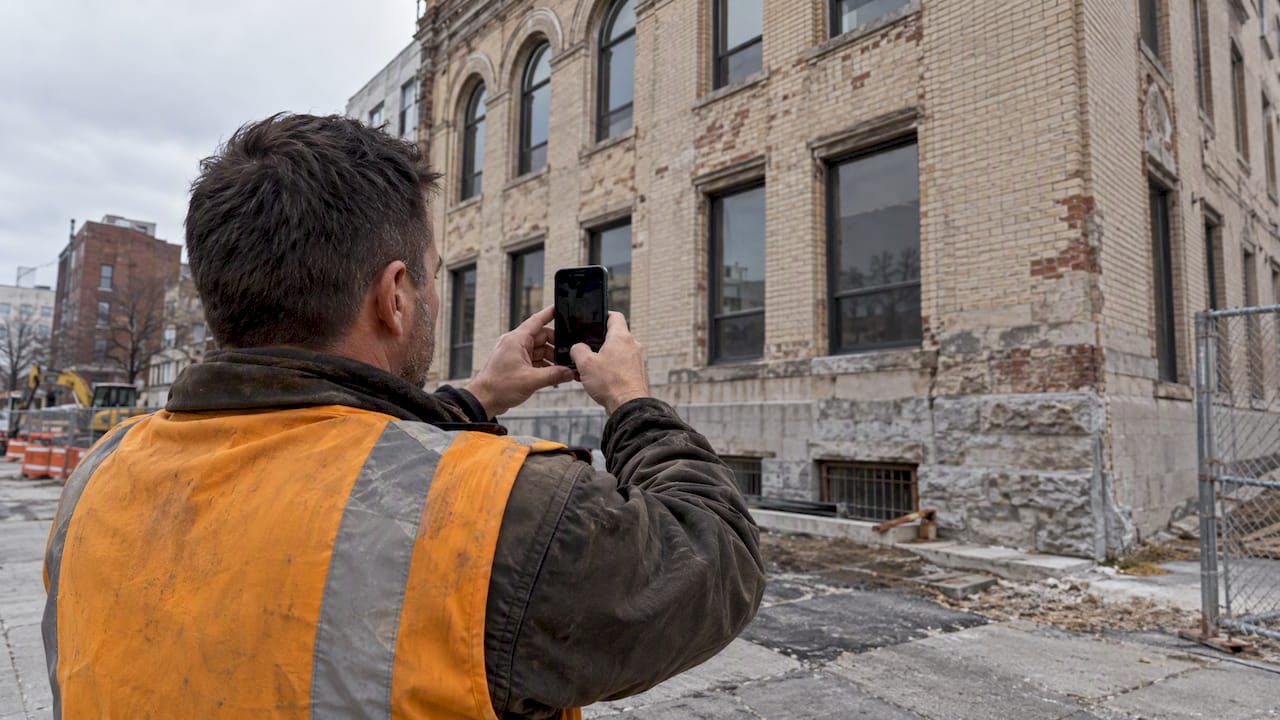
Effective construction photo documentation records preconditions, concealed work, and milestone progress as timestamped, geolocated images tied to the project key plan. That discipline matters because it reduces rework, substantiates payment applications, and prevents disputes before they start. The immediate next step for any crew is simple: pick one standardized capture method and enforce metadata collection at the moment each photo is taken, not after the fact.
TL;DR:
- Photograph existing conditions before site preparation, concealed work before enclosure, and milestone progress near payment cutoffs; include a scale reference in critical detail shots.
- Capture a timestamp, geolocation, fixed vantage ID, and link to a drawing, RFI, or punch list item; preserve originals unedited.
- Take milestone photos within 48 hours of each payment application cutoff, and photograph deliveries, damage, or failed tests on the day they occur.
- Store each photo in at least two separate locations, lock originals against edits, and keep an upload audit log; retain them beyond project completion.
HechitoKeep Job Details TogetherHechito captures job details through voice and images, helping contractors organize documentation without adding typing to the workday.Visit Hechito
Table of Contents
- What to Capture: Preconstruction, Concealed Work, and Milestones
- Metadata, Standards, and Contract Requirements That Make Photos Evidentiary
- Organize, Store, and Preserve Chain of Custody
- Field Capture Workflows and Tools That Actually Hold Up On-Site
- How Photos Get Used: Quality Control, RFIs, and Dispute Prevention
- A Practical Way to Put This Into Practice on Site
- Legal Considerations and Privacy When Photographing a Job Site
- How Often to Capture: Weekly, Bi-Weekly, or Milestone-Driven
- Backing Up and Storing Photos So Nothing Gets Lost
- Making Documentation Part of the Routine, Not an Afterthought
- How Hechito Fits Into This Workflow
- FAQ
- Sources
What to Capture: Preconstruction, Concealed Work, and Milestones
Photo documentation only works as evidence when it covers the right moments. Three phases matter most, and each has its own capture rules.
Preconstruction photos record the site before any work begins: existing structures, adjacent properties, utilities, landscaping, and anything that must remain undamaged. Walk the perimeter and interior systematically, mapping each shot to a key plan location so a dispute over preexisting damage has a clear answer. Before groundbreaking, coordinate these shots with any site-prep work, since clearing, grading, or delivery staging can change conditions fast; a site prep checklist helps crews time the photos correctly.
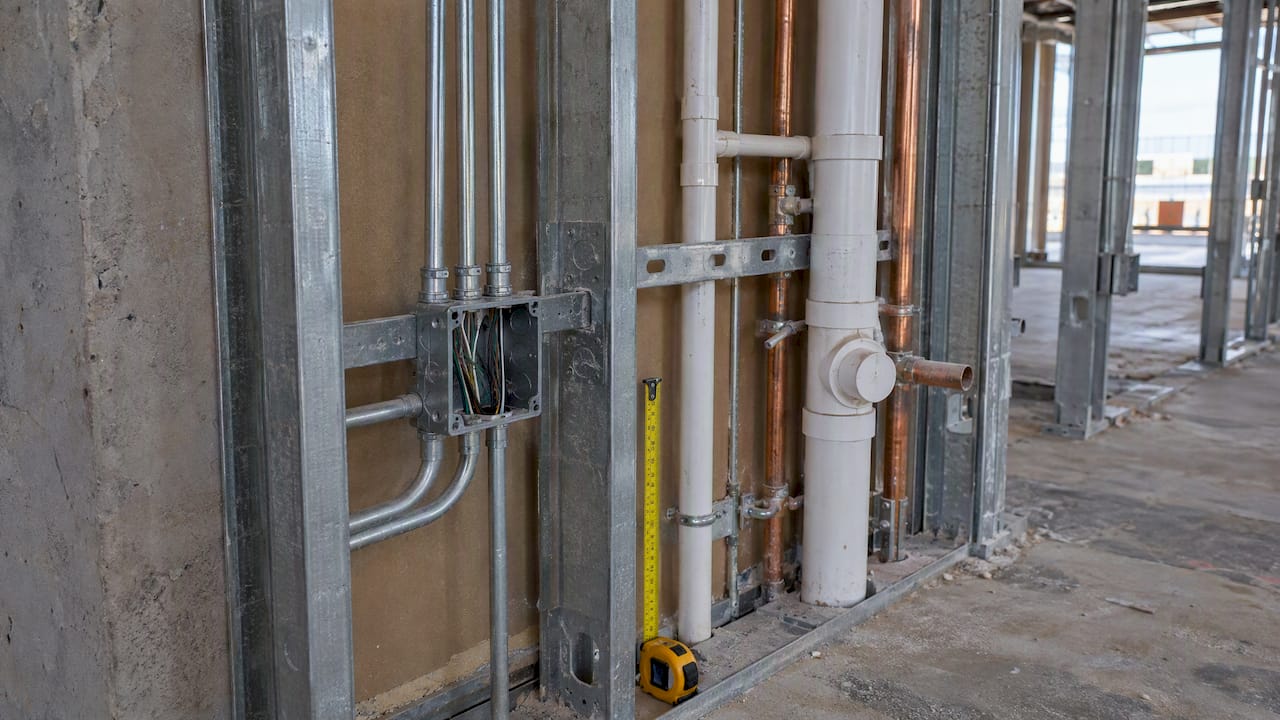
Concealed and critical work needs the heaviest documentation, because once it is covered, the only remaining record is the photo. Foundations, in-slab utilities, MEP rough-in before enclosure, waterproofing membranes, and flashing details all qualify. Shoot close-ups with a tape measure or known object in frame for scale, then step back for a wide shot that shows the same area in context.
Milestone progress photos align with payment application cutoffs and inspection dates. These should capture completed scopes clearly enough that a reviewer can verify percentage-of-completion claims without a site visit. Event-driven photos, material deliveries, testing, unexpected damage, get taken as they happen rather than batched later.
A few framing habits separate usable evidence from clutter:
- Keep the full subject in frame; a cropped or blurred photo cannot be verified later.
- Include a scale reference (ruler, known object) on close-ups of critical details.
- Avoid capturing identifiable worker faces when possible, per AIA guidance on privacy and liability.
Pro Tip: Shoot the same vantage point before and after concealment, same angle, same distance, so the two images can be compared side by side.
Metadata, Standards, and Contract Requirements That Make Photos Evidentiary
A photo without metadata is just a picture. A photo with the right metadata becomes evidence a reviewer, insurer, or arbitrator can trust.
According to AIA best practices, photos intended as evidence need a timestamp, geolocation, a vantage point identifier, and a link to the relevant drawing, RFI, or punch list item. Capturing this at the point of the photo, not during a later upload session, is what keeps the record honest.
File preservation rules matter just as much. Keep unedited originals, never crop or color-correct the evidentiary copy, and follow the submission windows many contracts specify. One common spec excerpt requires submitting electronic files within seven to ten days of capture, along with originals and key plan mapping.
A workable implementation follows a short sequence:
- Assign each vantage point a fixed ID tied to the key plan before work starts.
- Capture photos using that ID plus date, trade, and milestone tags at the moment of take.
- Route every photo through a single ingestion point rather than scattered phone galleries.
- Archive originals as read-only files, with edited or annotated copies stored separately.
Systematic photo documentation significantly reduces rework costs through earlier issue detection, with documentation deficiencies identified as a common cause of construction disputes, according to Openspace. This issue is almost entirely addressed by consistent metadata capture, not better cameras.
Organize, Store, and Preserve Chain of Custody
Good photos lose their value if nobody can find or trust them later. Organization is what turns a folder of images into a usable record.
A practical naming convention works at the filename level: projectcode_date_vantage_sequence, for example PRJ204_20260312_V07_002. This lets anyone sort chronologically, by vantage point, or by project without opening a single file. Index each photo against the drawing set or BIM model it documents, and tag entries by phase, trade, and milestone so a reviewer searching for “foundation, east wing, week 3” finds the right set immediately.
Chain of custody depends on a few disciplined habits:
- Lock uploaded photos against edits once ingested, keeping only the original file as the record copy.
- Maintain an audit log showing who uploaded each photo and when.
- Store backups offsite or in a separate cloud region from the primary archive.
Pro Tip: Treat the photo archive like a legal file: once it is submitted, nobody edits it, they only add to it.
AACE’s recommended practice on construction photography points to exactly this kind of centralized, audit-ready workflow as the fix for the common “camera-roll problem,” where photos scattered across personal phones become useless when a claim surfaces months later.
For handoff or closeout, package four things: the original unedited files, a complete index tied to the key plan, the key plan itself, and access credentials for whichever stakeholders need to review the record going forward.
Field Capture Workflows and Tools That Actually Hold Up On-Site
The device matters less than the workflow around it, but device choice still shapes quality. Smartphones win on convenience and are good enough for most progress shots. Dedicated cameras win on optical zoom and resolution, which matters for detail shots of concealed work where digital zoom introduces blur. AACE’s guidance recommends optical zoom over digital, along with neutral-density or polarizing filters for high-contrast scenes and attention to depth of field so close-up details stay sharp enough for review.
Whatever the device, the app or system around it needs specific features to avoid the camera-roll problem:
- Automatic timestamp and geotagging at capture, not added manually later.
- Preset vantage point templates so photographers hit the same spot every time.
- Offline capture with queued upload for sites without reliable connectivity.
- An ingest step that locks the file and logs who submitted it.
Pro Tip: If a photo lives only in someone’s personal phone gallery, it does not exist for project purposes. Require app-based ingest, not shared albums.
A workable field rhythm looks like this: pre-configure every vantage point against the key plan before work starts, capture and tag each photo at the source, push uploads on a daily or weekly schedule depending on the phase, and assign one person to verify completeness against the capture plan. Forbidding ad-hoc camera-roll sharing is not bureaucracy; it is the only way to guarantee every photo that matters actually makes it into the record.
How Photos Get Used: Quality Control, RFIs, and Dispute Prevention
Photos only earn their keep when they drive action, not just sit in a folder. Openspace frames this well: tagging photos to RFIs, punch lists, or payment line items at the moment of capture is what turns a static image into an active project tool.
A visual punch list works by attaching a photo to each deficiency, then closing the item with a second photo showing the fix. The same logic applies to RFIs and test reports: attach the relevant photo directly, indexed to the date of the payment cutoff it supports, so a reviewer can trace the claim in seconds.
Dispute risk drops sharply when the photo chronology is methodical rather than reactive. A minimal evidence package for a typical claim includes the preconstruction baseline photo of the area, progress photos at each relevant milestone, the concealed-work photo if applicable, and the final completion photo, all indexed to drawings and dates.
A short capture rhythm tied to payment cycles works well in practice:
- Capture baseline conditions before mobilization.
- Document concealed work immediately before enclosure.
- Shoot milestone progress within 48 hours of each payment application cutoff.
- Log event-driven photos (damage, deliveries, failed tests) the same day they occur.
Packaging these consistently makes payment applications faster to approve and claims far easier to defend.
A Practical Way to Put This Into Practice on Site
Most of the friction in photo documentation comes from the gap between taking a photo and getting it properly tagged, filed, and linked to the right record. Closing that gap in real time, rather than at the end of a long day, is what separates a usable archive from a pile of images nobody can search later.
A voice-plus-photo capture approach maps directly onto the metadata and chain-of-custody practices above. A field worker who speaks a quick note while taking a photo, naming the trade, location, and reason for the shot, creates a record that is already tagged before it reaches the office. That record can then queue for upload when connectivity returns and attach directly to the relevant invoice or RFI without anyone retyping details from memory.
In practice, a workable version of this looks like:
- Capture a photo and a short spoken note together at the point of work.
- Let the system convert that note into structured metadata instead of free-text.
- Queue the record for upload automatically when the site has no signal.
- Attach the finished record to the invoice, estimate, or RFI it belongs to.
Keeping the workflow this tight is what makes documentation sustainable on busy jobs rather than something crews skip under deadline pressure.
Legal Considerations and Privacy When Photographing a Job Site
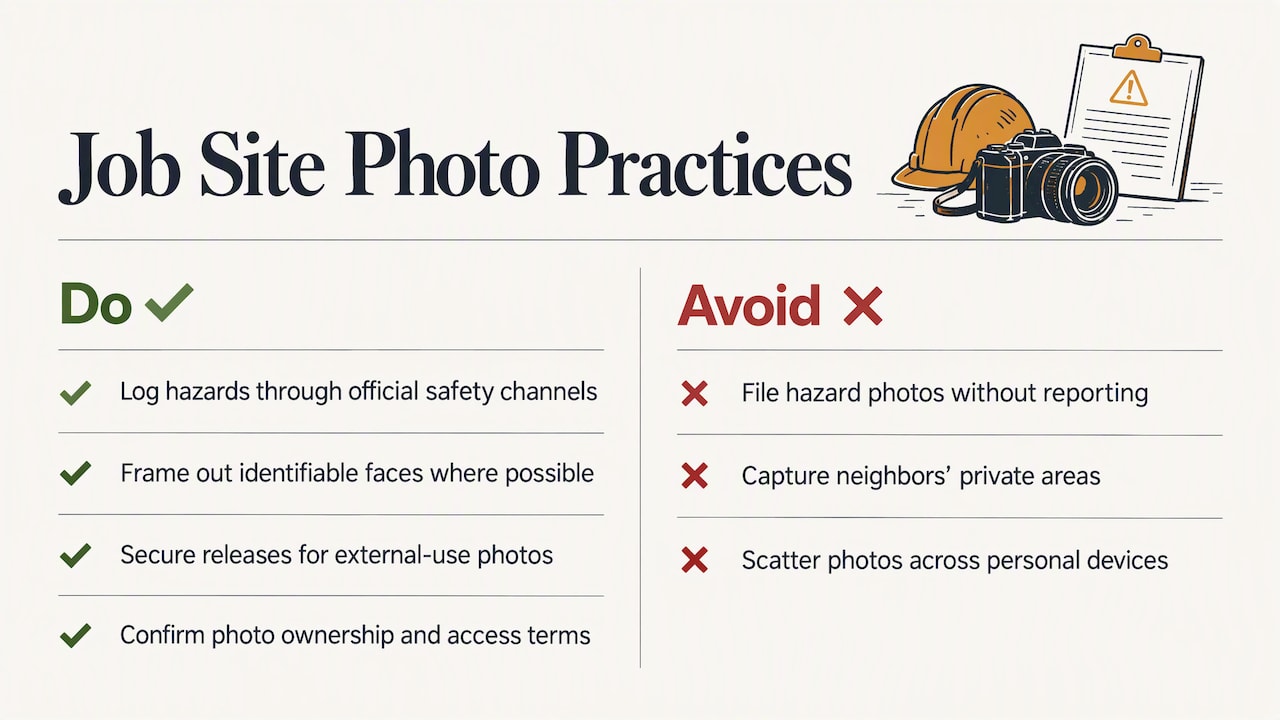
Photographing a job site is not purely a documentation question; it carries legal exposure if handled carelessly. AIA guidance specifically warns against photographing apparent safety hazards and simply filing the image away without reporting the condition through official channels. Doing so can create a record that an injured party or regulator later points to as proof the hazard was known and left unaddressed. The safer practice is to document the condition and immediately log it through the project’s official safety or incident reporting process, so the photo and the corrective action are tied together.
Worker privacy deserves the same care. Where possible, frame shots to avoid identifiable faces, or secure a release when a worker must appear in a photo meant for external use, such as a marketing shot or a dispute exhibit. Crews working across property lines should also be mindful of capturing adjacent properties only to the extent needed to document existing conditions, not incidentally photographing neighbors or their private areas.
Contracts increasingly specify who owns the photographic record and who may access it, so it is worth confirming those terms before a dispute forces the question. Keeping photos inside a controlled system with an audit log, rather than scattered across personal devices, also makes it far easier to respond to a legal request for the complete, unaltered record when one arrives.
How Often to Capture: Weekly, Bi-Weekly, or Milestone-Driven
There is no single frequency that fits every project, but most capture schedules fall into one of three patterns. A weekly schedule suits active, fast-moving phases like structural framing or MEP rough-in, where conditions change quickly enough that a two-week gap could miss a concealment event entirely. Bi-weekly capture, often aligned with payment application cycles, works well for steadier phases like finishes or site work, where progress is visible but less time-sensitive.
Milestone-driven capture layers on top of either schedule and is non-negotiable: certain events, foundation pours, MEP rough-in before enclosure, structural connections, waterproofing, get photographed regardless of where they fall in the calendar, because missing the window means losing the evidence permanently.
A reasonable baseline many specifications use is a minimum shot count per phase and repeatable vantage points for time-lapse comparison, often five or more shots from the same position across the project timeline. Building the schedule around payment cutoffs rather than arbitrary calendar dates also makes the photo record double as payment substantiation, which saves a separate documentation effort later. The goal is consistency: a predictable rhythm that crews follow without needing a reminder every time.
Backing Up and Storing Photos So Nothing Gets Lost
A photo archive is only as good as its weakest storage link. The most common failure mode is not a bad photo, it is a good photo that only ever existed on one phone that later got lost, stolen, or wiped.
The baseline rule is redundancy: every photo needs to exist in at least two separate locations, ideally a primary cloud archive and a secondary offsite or geographically separate backup. Automating this through app-based ingest removes the dependency on someone remembering to back up manually at the end of a long week.
Retention policy matters as much as redundancy. Keep unedited originals indefinitely for the life of the project and well beyond substantial completion, since warranty claims and disputes can surface years later. Store originals separately from any edited or annotated copies used for reports, so the evidentiary version never gets confused with a marked-up derivative.
Access control rounds out a secure storage approach: limit who can delete or overwrite files, and keep an audit trail of uploads and downloads. A system with upload locking, where once a photo is ingested it cannot be altered, protects the integrity of the record far better than a shared drive where anyone with access can rename or delete a file without a trace.
Making Documentation Part of the Routine, Not an Afterthought
The biggest mistake crews make is trying to document everything. Exhaustive daily photo galleries burn time and produce archives nobody reviews. Concealed work and payment-critical milestones deserve the most attention; everything else can follow a lighter, consistent rhythm.
Compliance improves fastest with measurable minimums rather than vague instructions: a fixed shot count per milestone, an upload deadline measured in days rather than “when you get to it.” Vague expectations produce inconsistent archives.
The cultural shift matters more than any tool. Documentation works when it is built into the existing flow of the job, not bolted on as paperwork at the end of a long day. Crews that treat the camera as part of the task, not a separate chore, produce better records with less friction.
— Francisco
How Hechito Fits Into This Workflow
Following everything above by hand, timestamps, geotags, key plan mapping, locked archives, takes real discipline. We built our platform to carry that load automatically, so crews capture a photo and a quick voice note on the job and get back an organized, indexed record without typing anything at the end of the day.

Our Chalán plan captures voice and photo input directly on-site and turns it into structured quotes and invoices, in English or Spanish, without extra admin work later. A few ways teams put this into practice:
- Capture a photo and spoken note together, then let the record attach automatically to the right invoice or RFI.
- Keep working offline on sites with no signal; records queue and sync once connectivity returns.
- Review plans and pricing to see which setup fits a crew’s size and workflow.
Visit our contractor page to see how voice and photo capture turn into paperwork that’s already filed.
FAQ
Is there a free construction photo app available?
Several basic photo apps offer free tiers for simple capture and storage, though most lack the metadata enforcement, key plan mapping, and audit locking that contract-ready documentation requires. For projects where photos may support payment applications or disputes, a system built around those standards matters more than cost alone.
What are three types of construction documents in a photo record?
Photographic documentation typically divides into three phases: preconstruction photos recording existing conditions, periodic progress photos taken throughout the work, often bi-weekly or tied to payment cutoffs, and final completion photos at project closeout. Each phase serves a distinct purpose in the overall record.
What is the 20 60 20 rule in photography?
This is not a standard construction photography practice, and no construction documentation guidance defines a “20 60 20 rule.” The term more commonly appears in general photography composition discussions and does not apply to jobsite documentation standards.
What is the best document control software for construction?
The right choice depends on whether a team needs broad document control across drawings, submittals, and RFIs, or a focused tool for field photo and voice capture tied to invoicing. For contractors specifically looking to turn jobsite photos and notes into organized records without extra typing, our Chalán tool is built for exactly that workflow.
Sources
- Best practices for construction site photo documentation: what to capture & why it matters — Openspace
- AIA Best Practices: Using photography to evaluate on-site work
- 95R-18: Construction photography to document project status — AACE International
Recommended
This is the paperwork Hechito does for you — while you talk.