How to Accept Online Payments in Construction

How to Accept Online Payments in Construction

To accept online payments in construction, you need two things: a clean invoice that reaches the customer while the job is fresh, and a way for them to pay it from their phone. Most contractors focus on the second and lose days on the first. The invoice gets written at the kitchen table at 9 p.m., sent two days later, and paid whenever the customer remembers. At Hechito, we built our service around the front half of that chain: you talk and snap photos on the job, and the estimate or invoice is ready to send, in English or Spanish, without you typing it up later.
This guide covers the whole routine: which payment methods fit which stage of a job, what they cost on a real invoice, how to set the process up, and how to keep records you can stand behind.
Hechitohechito.comSend Invoices While the Job Is FreshHechito turns job conversations and photos into organized estimates and invoices, in English or Spanish, without extra typing after work.VisitTL;DR
- Online payment means the customer gets an invoice with a secure link or button and pays by card, bank transfer (ACH) or digital wallet from any device.
- Use cards for deposits and small balances, and bank transfer for large draws and final payments, where fees are far lower.
- Collect each stage of the job (deposit, draw, change order, final balance) on its own invoice so a correction never touches the whole job.
- The fastest payment follows the fastest invoice: send it from the job site, not after dinner.
- A payment record shows that money moved. It is not a lien waiver or a pay application, so keep those documents with it.
Table of Contents
- What “online payments” means on a job
- Which method fits which stage
- What online payments cost on a real invoice
- Setting it up, step by step
- Deposits: what is normal
- Security and records
- Cash flow is the real goal
- Where Hechito fits
- Our perspective
- FAQ
- Sources
What “online payments” means on a job
An online payment is any payment the customer makes through the internet instead of handing you a check or cash. You send an invoice with a payment link. The customer opens it on a phone or computer, picks card, bank transfer or a digital wallet, and pays. The money lands in your bank account after the processor settles it, and you match the deposit to the invoice.
This is not exotic. The Federal Reserve’s 2024 Report on Payments, based on a survey of 4,920 US employer firms, found that 79% of small businesses accept at least one form of card payment, and more than 80% accept three or more payment forms. Your customers expect to be able to pay you without writing a check.
The same report found that about 80% of small businesses report payment challenges, most often processing fees. That is the part worth planning for, and the fee section below puts numbers on it.
Which method fits which stage
A construction job is not one payment. It is a series of them, and each one has a different best method.
| Stage | Typical amount | Best fit | Why |
|---|---|---|---|
| Deposit at signing | Part of the contract | Card or bank transfer | Customer is engaged and wants to start; instant confirmation |
| Progress draw | Tied to a milestone or schedule of values | Bank transfer for large draws, card for small ones | Fees on big amounts add up quickly on cards |
| Change order | Usually smaller | Card via payment link | Fast approval and payment in one step |
| Final balance | Remaining contract amount | Bank transfer, card if the customer prefers | Large amount, so fee difference matters most |
| Small service call | Low | Card on phone or tablet | Paid before you leave the driveway |
Cards (credit, debit, and wallets such as Apple Pay) are the easiest for the customer. They are also the most expensive for you.
ACH is a bank-to-bank transfer. The customer authorizes the amount and date, and the money moves between accounts. It is slower to settle, but much cheaper on big invoices.
Checks still exist, and some customers will always send them. You can keep taking them. The point of an online option is that the customer who would otherwise let the invoice sit can pay in two minutes.
If you bill in phases, the progress billing routine and the guide to construction payment schedules show how to tie each draw to work you can prove with photos.
What online payments cost on a real invoice
Fees are where the method choice pays off. Published online card rates from a 2026 processor comparison run around 2.9% + $0.30 per online transaction on a flat-rate plan, with in-person rates a little lower. The same comparison lists ACH at 0.8% with a $5 cap on some platforms, and card funds typically arriving in one to two business days, with ACH taking up to four.
Here is what that means on an $8,000 final invoice:
- Card at 2.9% + $0.30: $232.30 in fees.
- ACH at 0.8%, capped at $5: $5 in fees.
That is a $227 difference on one invoice. Across ten invoices of that size, it is $2,270. Rates change, and processors set them, so read the current fee table before you commit. Check these points when you compare:
- Is the rate flat, tiered or interchange-plus (the card network’s base fee plus a fixed markup)?
- What is the ACH fee, and is there a cap?
- Are there monthly minimums, statement fees or compliance fees?
- Is there an early-termination fee?
- Does the processor hold reserves on large or irregular payments?
That last one matters on construction jobs. If you take a large payment long before the work is done, some processors may flag the account as higher risk and hold funds. Taking payments in stages tied to real work keeps your deposits looking like what they are.
Also decide up front who pays the fee. Some contractors build it into the price, and some state laws limit surcharging cards, so check your state’s rules before adding a fee line to an invoice.
If you are also putting up a site where customers can find you and pay, our partner-free tip is simple: plan the budget first. A look at what a contractor website costs helps you weigh it against processor fees.
Setting it up, step by step
1. Map your billing stages
Write down how a typical job bills: deposit, draws, change orders, final balance. Note what triggers each one. If you cannot say what triggers a draw, the customer will not be able to either, and that is where disputes start.
This is where paperwork usually breaks down. Details said at the job site never make it into the invoice. Hechito captures the conversation and photos as you work, so the scope, the change order and the photo evidence are already attached when you bill. Our estimate-to-invoice workflow breaks the sequence into seven steps.
2. Choose your methods
Pick one card option and one bank-transfer option. Use cards for convenience and small amounts, and bank transfer for anything large. Add a wallet option if your customers use phones for everything.
3. Open the account and set the controls
A payment processor or merchant account will ask for business details and a bank account for deposits. Once it is open, set the controls that protect you:
- Fixed amounts that match the invoice
- An invoice number or project reference on every link
- Expiration dates on links
- Rules for partial payments
- Receipts that go to the customer automatically
- Permissions, so only the people who need access have it
4. Put payment terms on every invoice
Say when payment is due, which methods you accept, and what happens on late payment. A vague invoice gets a slow payment. The invoice checklist for contractor payment terms lists what to include so the customer’s accounts payable team does not bounce it back.
5. Send the invoice the same day
This is the step most contractors skip. Every day between finishing work and sending the bill is a day the customer is also not thinking about paying it. With Hechito, you can send estimates and invoices straight from what you captured on the job, so there is no evening of typing.
6. Chase and reconcile
When payment does not arrive, follow up on a schedule rather than when you remember. When it does arrive, match the deposit to the invoice and the project. Hechito handles payment chasing and manages receipts and bank reconciliation, which closes the loop. For slow payers, see the step-by-step overdue invoice plan and the invoice aging process.
Deposits: what is normal
A deposit at signing is standard, and the amount depends on the job. Many contractors ask for a portion up front, bill milestones, and keep a final portion for completion. Whether 50% is acceptable depends on your state. Some states cap home-improvement deposits, in some cases at a low flat amount or a small percentage of the contract, so check your state’s contractor licensing board before you write a deposit figure into a contract.
Put the deposit, the payment schedule and the change-order process in writing, and have the customer sign it. That protects both sides and gives the processor a clear paper trail if anything is questioned.

Security and records
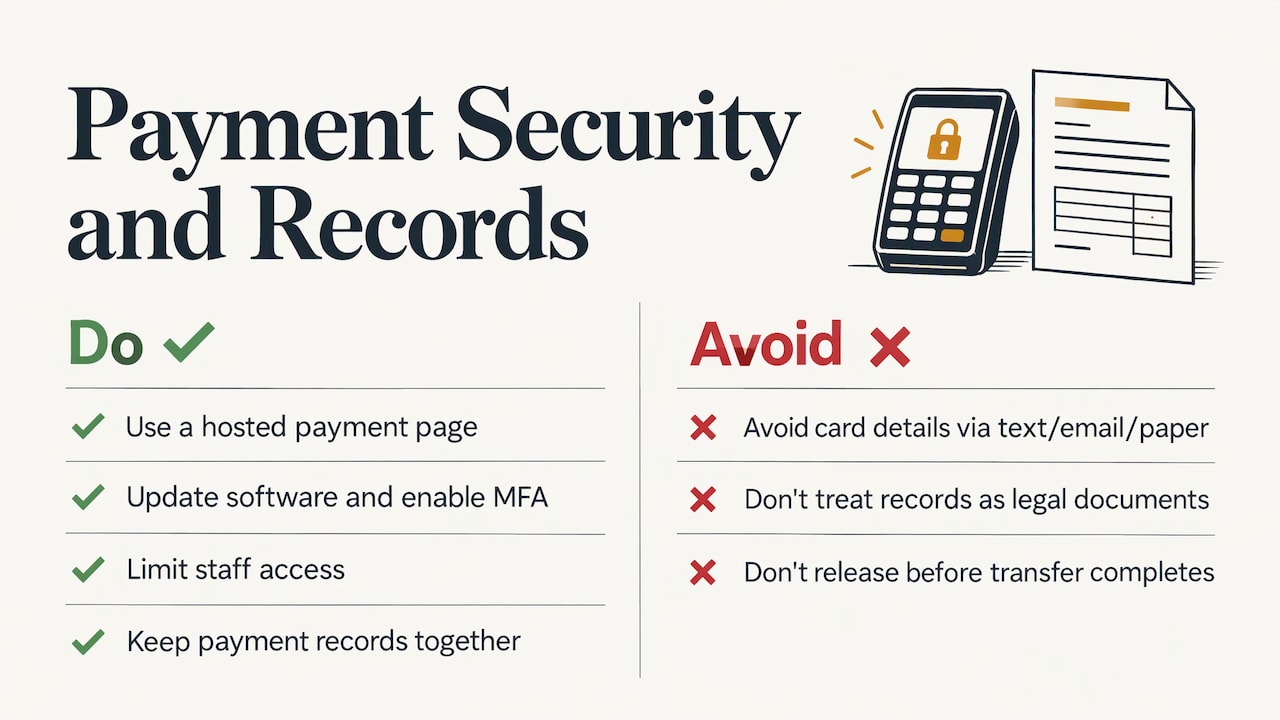
Never take card numbers by text, email or on paper. Use a hosted payment page, where the customer types card details into the processor’s secure form and you never see them. Keep software updated, use multi-factor authentication on your payment accounts, and give staff only the access they need.
There is a second reason to prefer electronic payment. Checks are easy to alter, lose or fake, and a bounced one costs you time. A bank transfer or card payment gives you an instant digital record.
But a payment record only shows that money moved. It is not a lien waiver, a pay application or legal advice. State rules on retainage, lien rights and payment timing come from law, not from your processor, so confirm them with a construction attorney in your state. Keep the waiver, the invoice, the photos and the receipt together, so any question can be answered from one place.
Note that a pending bank transfer is not cash yet. Do not release materials, pay a sub or tell the customer the job is paid until the transfer has completed.
Cash flow is the real goal
Taking payments online is a tool. The goal is steady cash. As Marshall Shepherd, an audit partner at Melton & Melton, told Construction Executive, cash flow is a management system rather than a collections problem, and by the time an invoice is 90 days old the options are expensive. He recommends a rolling cash forecast, a monthly work-in-progress schedule, tracking days sales outstanding against contract terms, and watching statutory notice and lien deadlines.
For the bigger picture, our guides to cash flow in construction and accounts receivable go further. For the last payment on a job, read how to collect final payment.
Where Hechito fits
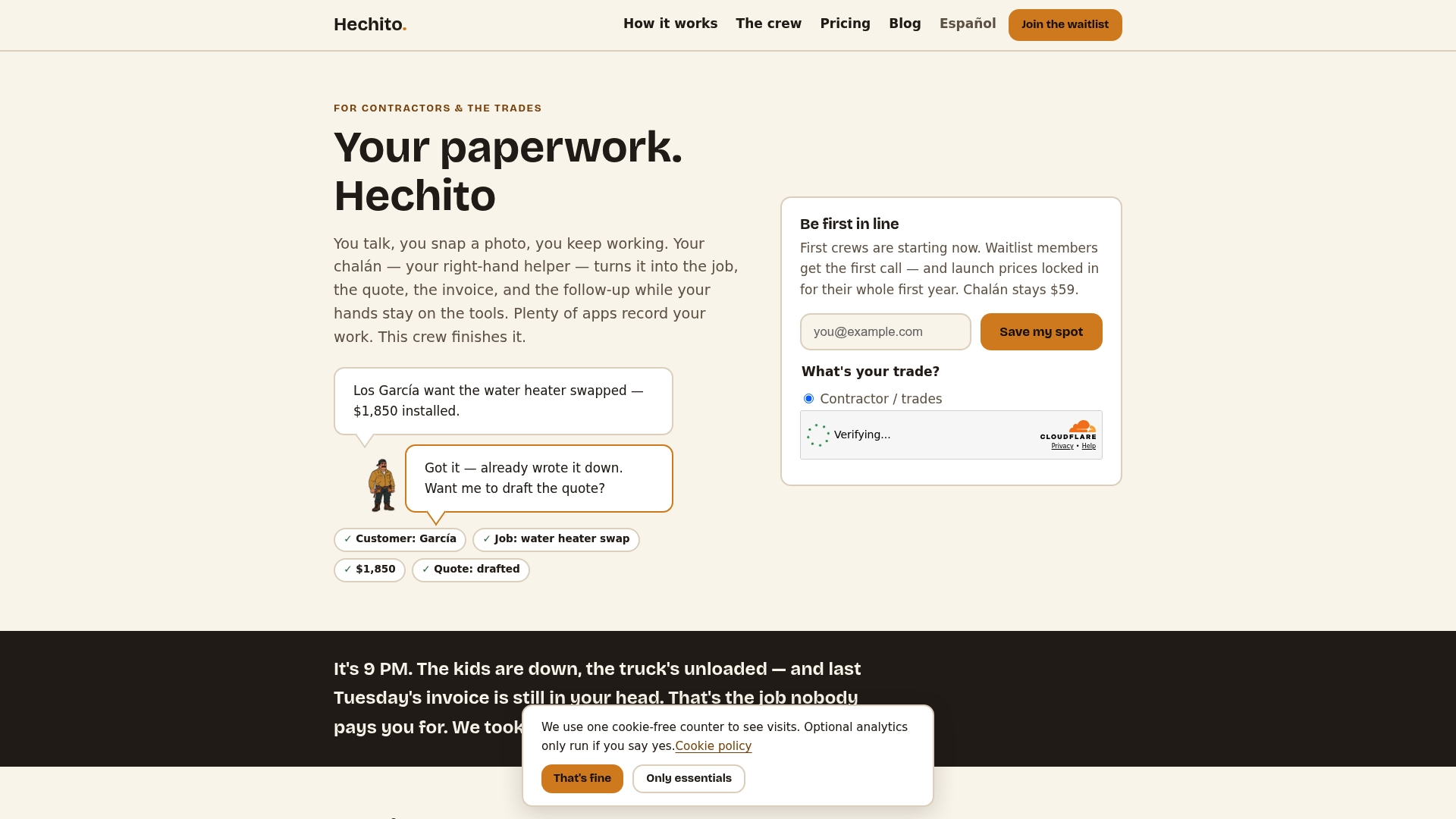
If you are a contractor who finishes the work and then loses evenings to quotes, invoices and receipts, the bottleneck is not the payment button. It is getting the paperwork done. Hechito is a virtual co-worker for tradespeople: you speak and take photos on the job, and it turns them into organized records, estimates and invoices. It works in English and Spanish, so you can speak either language or both, and documents come out in the language the customer needs. It also chases payments and handles receipts and bank reconciliation.
The plans are Chalán, Lupita and Godínez, on the crew page. To see the flow from the job site, read how Hechito works, or look at the invoicing and estimate app for contractors.
Our perspective
Most contractors we talk to do not have a payment problem. They have a paperwork timing problem. The work is done, the customer is happy, and the invoice is still in somebody’s head.
We built Hechito so that the record is made while the work happens: what the customer said, what you agreed, what the job looked like. When that is captured at the source, the estimate, the change order and the invoice follow without extra typing, and the invoice goes out while the customer is still glad to see you.
Online payment methods will keep changing. The habit that pays does not: bill each stage on its own, send it fast, follow up on schedule, and keep the proof together. Our job is to take the admin off your hands so you can keep doing the work.
Francisco
FAQ
Can contractors accept credit cards online?
Yes. You send an invoice with a secure payment link, and the customer pays by card, bank transfer or digital wallet on a phone or computer. The processor deposits the net amount in your bank account after settlement, usually within a few business days.
Should I use cards or ACH for large invoices?
Use bank transfer where you can. On an $8,000 invoice, a typical online card rate of 2.9% + $0.30 costs $232.30, while an ACH rate of 0.8% capped at $5 costs $5. Offer cards for customers who prefer them, and for deposits and small balances.
Is it normal for a contractor to ask for 50% upfront?
It depends on the job and your state. Some states cap the deposit on home-improvement contracts, so check your state licensing board first. Whatever you choose, put the deposit and payment schedule in writing and have the customer sign.
How do I keep online payments organized?
Give every stage of the job its own invoice with its own number, and match each deposit to that invoice and project when it lands. Keep receipts, photos and any lien waivers with the invoice. Hechito manages receipts and bank reconciliation so those records stay together.
Sources
- Federal Reserve Small Business Credit Survey: 2024 Report on Payments
- Best Payment Processors for Contractors 2026, myPayAdvisor
- Executive Insights 2026: Leaders in Construction Accounting, Construction Executive
- How Much Does a Contractor Website Cost in 2026?, NOCTURNE
Recommended
This is the paperwork Hechito does for you — while you talk.