Client Communication Logs for Contractors: What to Record
Client Communication Logs for Contractors: What to Record
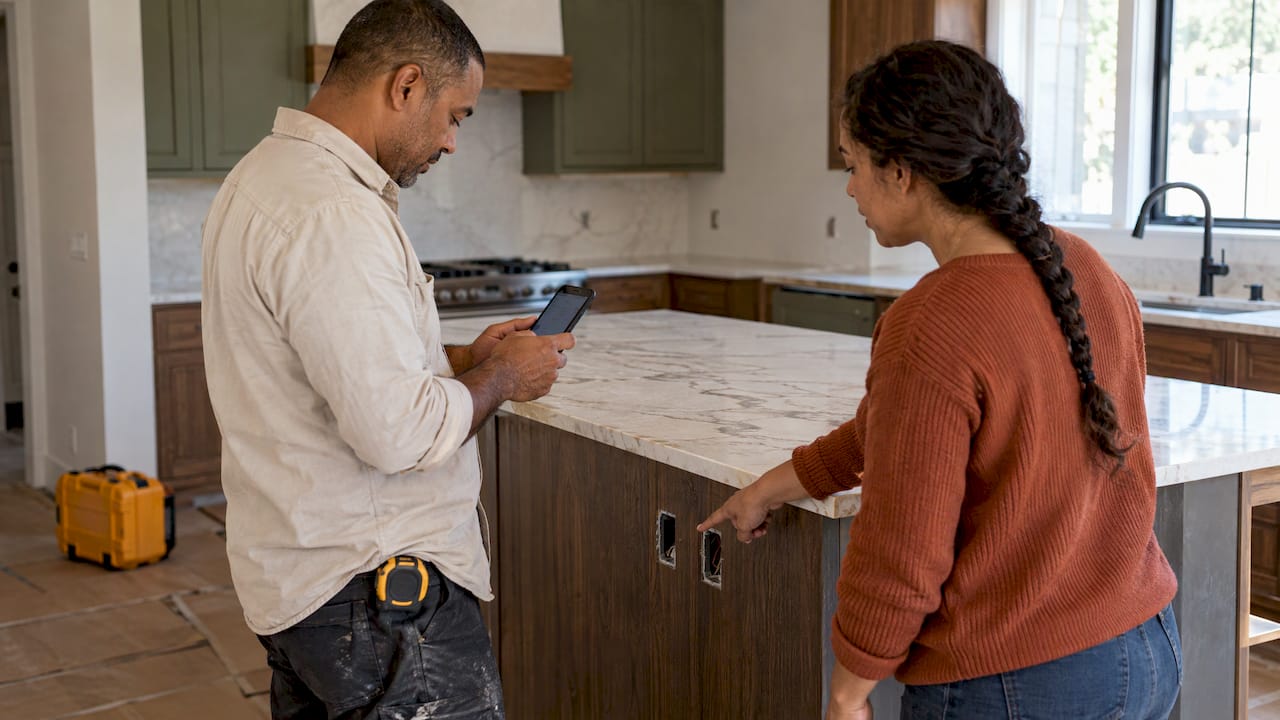
A client communication log is a running record of every conversation you have with a customer about a job: the call, the text, the email, the chat in the driveway. Each entry holds the date, who was involved, what was decided and what happens next. Keep one per job, write each entry the same day, and you can settle “I never agreed to that” in about a minute instead of an hour of digging.
Most templates online are blank tables for office teams. This guide is written for people who work on job sites: what an entry needs, how to capture it without typing at night, how to sort it by client and job, and how long to hold on to it.
Hechitohechito.comKeep Job Details TogetherHechito captures customer conversations and job details with voice and images, helping contractors organize records without extra typing.Explore HechitoTL;DR
- Log every conversation that changes scope, price, schedule or access, and confirm verbal talks in writing the same day.
- Each entry needs a date, the people involved, the decision, the cost or time impact, the next step and who owns it.
- Organize by job first, then by client, and give every open item an owner and a due date.
- Retention rules vary by state and by contract type, so set a written policy and ask your attorney or insurer for your state’s period.
- Voice notes and photos let you build the log on site instead of after hours.
Table of Contents
- What a client communication log is
- What each entry should contain
- How to record calls, texts, emails and site conversations
- Organize the log by job, client and follow-up
- How a log prevents missed details and delays
- Privacy and record retention for U.S. contractors
- Our perspective
- Build the log while you work
- FAQ
- Sources
What a client communication log is
Think of it as the paper trail for what was said. A job file holds the contract, estimate and invoices. The communication log holds everything in between: the homeowner who wants the vanity moved, the property manager who approved extra outlets by text, the inspector’s note relayed through the client.
It does three jobs:
- Memory. Two months into a remodel, nobody remembers which tile the client picked on a Tuesday call.
- Proof. When there is a dispute over scope or price, a dated entry beats recollection.
- Momentum. Open questions become tasks with owners, so nothing waits on an answer that nobody asked for.
Professional Underwriters, which writes about risk for design and construction professionals, recommends a centralized and consistent project record that documents key decisions, client direction and known project constraints in writing, and that reflects the original contract scope and later changes.
A log is not the same as a site diary. The diary records what happened on site: weather, crew, work done. The log records what you and the client said to each other. They overlap, and our guide to the site diary in construction covers the other half.
What each entry should contain
Keep entries short enough that you will actually write them. A good entry answers six questions: when, who, how, what was decided, what does it cost or delay, and what happens next.
For construction-specific fields, a site instruction and request-for-information template from the project-controls software firm MapTrack lists a reference number, date, parties, description, drawing or specification reference, cost and time impact, response, sign-off, required-by date and status. You do not need all of that for a bathroom remodel, but the cost and time impact fields are worth borrowing on every job.
Here is a practical layout:
| Field | What to write | Example |
|---|---|---|
| Date and time | When the conversation happened | Nov 4, 10:15 a.m. |
| Job and client | Address or job name, client name | Alvarez kitchen, 218 Maple St. |
| Channel | Call, text, email, in person | Phone, 6 minutes |
| People | Everyone on the conversation | Maria Alvarez, my electrician |
| Topic | One line | Add two outlets on island |
| Decision | What was agreed, in plain words | Client approved two added outlets |
| Cost and time impact | Dollars and days, or “none” | Added cost to be quoted, no delay |
| Next step | Action, owner, due date | I send change order by Nov 6 |
| Status | Open, waiting on client, closed | Waiting on client |
Two habits make the table useful. First, write the decision before the discussion. If the reader sees only one line, it should be the outcome. Second, always fill in cost and time, even with “none.” A blank field looks like you forgot. A “none” shows you checked.
When the decision changes the price, the log entry is only the start. The formal record is a change order, and our guide to change order documentation shows what to put in it.
Extra fields for bigger jobs
On larger or longer projects, a call-minutes format from a transcription company, GoTranscript, adds scope in, out and pending, assumptions and dependencies, risks or open questions, next-meeting details, and a correction window where the client can point out errors or omissions. That last idea is simple and strong: end your confirmation message by asking the client to reply if anything is wrong.
How to record calls, texts, emails and site conversations
The channel matters less than the follow-through. The rule that shows up in nearly every source is the same: confirm what was said, in writing, right away.
- AllForContractors, in a post published May 15, 2025, states that every phone call, text and in-person conversation should be followed by a written note or email confirming what was said.
- Professional Underwriters advises confirming verbal discussions with brief follow-up emails or meeting summaries.
- Its risk adviser Ronnie Sosin makes the point that a brief written confirmation sent at the time of the decision is far more valuable than trying to rebuild the conversation after a claim has been filed.
Calls
Right after you hang up, log the entry and send a two-line text: “Thanks for the call. Confirming we will add two outlets on the island. I will send the price by Thursday.” Lead with the decision, then the action. A meeting-notes guide from Scribbl gives the same advice: send notes the same day, open the follow-up with decisions and action items, and turn unresolved questions into the agenda for the next conversation.
Texts
Texts are where most small-job decisions happen, and where they get lost in a phone with thousands of messages. Do not rely on the thread alone. Copy the decision into the log, or screenshot the key exchange and file it under the job. If you send estimates by text, our guide on how to text estimates to clients has wording that keeps the thread clean.
Emails
Email is already a record, but it is scattered. Log the date, subject and decision, and file the message in the job folder so you are not searching an inbox in a dispute.
In person
This is the riskiest channel because nothing exists afterward. Before you leave the driveway, say the decision out loud (“So we are moving the vanity to the left wall, no extra charge?”), then send a text within the hour. Add a photo of the area if the decision is about something visible. Our guide to construction photo documentation explains which photos hold up and how to label them.
Estimates and follow-ups
A quote with no reply is a conversation too. Log the date you sent it and the date you will check in. Sending a message after a few days that asks whether the client has questions about scope, materials or timeline, and states the next step, is a common approach for estimate follow-ups. Put that follow-up date in the log as a task so it does not depend on your memory.
Organize the log by job, client and follow-up
The most common mistake is a single running list for the whole business. It works for a month, then becomes a pile. Use three layers.
1. Job is the main folder. One log per job address or job name. A client with two jobs gets two logs, because decisions on the deck should not mix with decisions on the kitchen.
2. Client is the index. Keep a short contact card: names, phone numbers, preferred channel, who has authority to approve changes. This matters when a couple, a landlord and a property manager all give instructions. RainFire Builders, a Utah builder, describes a communication protocol set at kickoff: a single point of contact, how often updates come, which channel is used for which type of message, and the expected response time. It also covers a decision timeline and an escalation process. Agree on these on day one and write them at the top of the log.
3. Follow-up is the filter. Every entry that needs action gets an owner and a due date. Then a weekly look at “open” items is all you need. The five fields that drive it:
- Status: open, waiting on client, waiting on you, closed
- Owner: you, your lead, the client, a supplier
- Due date: a real date, not “soon”
- Related document: estimate, change order, invoice
- Outcome: what finally happened
This mirrors how a construction communication article from ConstructConnect describes issue handling: log it right away, assign an owner, set a due date, and track it until it closes with the outcome documented.
As for tools, a paper notebook, a spreadsheet or a notes app can all hold a log. What breaks them is typing at night. A tool that lets you speak the entry and attach the photo on site will get used more than the best-designed spreadsheet.
How a log prevents missed details and delays
A log earns its keep in three situations.
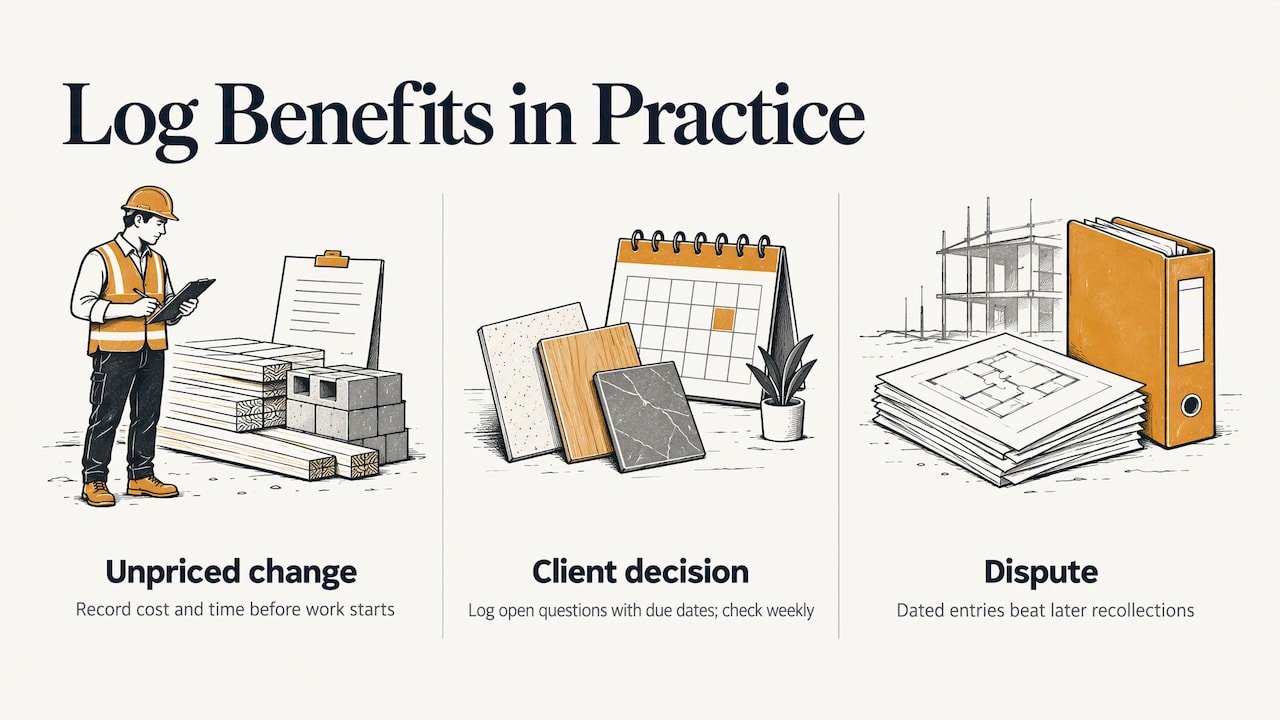
A variation nobody priced. A client asks for “one small change” on a call. Without an entry, you absorb the cost. With an entry that records cost and time impact on the day, you can raise the change order before the work starts. MapTrack’s template builds in a required-by date, a status and cost and time fields, which turns an archive of talk into something that surfaces overdue answers and variations early.
A decision waiting on the client. Tile selection, fixture choice, permit signatures: delays often come from an answer nobody chased. Logging the open question with a due date, and checking the open items weekly, shows you exactly what is holding the schedule. Our guide to construction scope of work shows how clear scope reduces these gaps in the first place.
A dispute after the fact. Professional Underwriters notes that documentation cannot remove risk, but it can substantially reduce later allegations that a professional failed to warn, failed to advise or performed services outside the agreed scope. The same logic applies to a contractor facing a client who remembers things differently.
Logs also support money. A client who approved extra work in writing is far easier to invoice. When a payment slips, your entries show what was agreed and when, which helps with the steps in our overdue invoice collection plan.
Privacy and record retention for U.S. contractors
There is no single national rule that covers every contractor’s communication logs. What applies depends on your state, your contract and your insurer. These are the points the research supports.
- Statutes of repose. Professional Underwriters’ risk guide says contractors should keep project records at least through the period set by the applicable state statute of repose, which differs from state to state. A Texas construction attorney, Joe Tolbert, recommends keeping project documents for thirteen years in that state, the statute of repose plus one year. Do not copy that number for another state. Ask your attorney or insurance agent for yours.
- A baseline for business records. Construction Dive reports that books, job cost reports, correspondence, proposals, invoices, subcontracts and purchase orders are among documents that must be kept for at least three years. Client correspondence is on that list, so your log and the messages behind it belong in the file.
- Write a policy. The same risk guide advises a formal records retention policy, preserving records during litigation or disputes, and securely destroying confidential client records when the period ends. It also warns that destroying evidence to avoid discovery can bring serious liability and sanctions. Once a dispute is possible, stop deleting.
- Personal information. In California, the CCPA limits what a service provider or contractor may do with personal information it collects under a contract with a business, and requires reasonable security. If you handle client data on behalf of another business, read your contract and your state’s law.
- Call recordings. Consent rules for recording differ by state and by where each person is. If you record calls or voice notes with clients, tell them and note the purpose. Ask your attorney what your state requires.
If you use software with AI features for job records, know where the data lives, who can see it, and how it is deleted. Use individual logins for each person and remove departed staff promptly.
Our perspective
We built Hechito because the log is the part of the job everyone agrees matters and nobody has time for. A tradesperson finishes a day on site, goes home tired, and then is asked to remember and type up six conversations.
Our view is simple: the log should be made while you work, not after. Say what the client just decided, snap the photo, and let the record build itself. That is the idea behind talk, snap, done, and it is why we focus on voice and images rather than forms.
It also matters that the log connects to the money. A decision recorded on Tuesday should be able to become an estimate line or an invoice line on Friday, without you rewriting it. And because many crews and many clients speak Spanish, English or both, we designed Hechito so you can speak in either language and get documents in the language the client needs.
We would rather you spend the evening with your family than with your paperwork.
Francisco
Build the log while you work
If you want the log to write itself from what you say and photograph on the job, Hechito captures voice and photos in real time and files them to the right job. Chalán handles quotes and invoices from the job site, Lupita answers your phone in English and Spanish, and Godínez matches bookkeeping to your bank. You can see how each fits on the Hechito crew page, or read about invoicing and estimates for contractors.
Pricing is published on the pricing page.
FAQ
What is the difference between a communication log and a daily log?
A daily log or site diary records what happened on the job: weather, crew, work completed. A communication log records what you and the client said and decided. Use both, and link them by date so a decision on a call can be matched to the work that followed. Our guide to daily construction logs covers the field side.
Do I need to log every text and call?
Log every one that touches scope, price, schedule, access, materials or approvals. Quick scheduling messages like “on my way” can stay in the thread. If you are unsure, log it: a one-line entry costs seconds, and a missing one can cost a dispute.
How soon after a conversation should I write the entry?
The same day, ideally within the hour, and send the client a short written confirmation at the same time. Sources on contractor documentation agree that confirmations made at the time of the decision carry more weight than a reconstruction made later.
How long should I keep client communication logs?
It depends on your state’s statute of repose, your contract and your insurer, so ask your attorney or agent for the period that applies to you. Records tied to a federal contract or an open dispute may need to be kept longer. Put the answer in a written retention policy and follow it.
Can I use a free template?
Yes, a free spreadsheet or document template is a fine place to start if it has the fields above. The test is whether you fill it in on the day. If you find yourself catching up on weekends, switch to a method that captures voice and photos on site.
Sources
- Documentation: Your Best Defense When a Claim Arises, Professional Underwriters
- Site Instruction & RFI Template, MapTrack
- Project Documentation & Data Preservation, AllForContractors
- Client meeting notes template, Scribbl
- Client Call Meeting Minutes Template, GoTranscript
- Client Communications, RainFire Builders
- Builders: How Long Should You Keep Those Documents?
- The Dotted Line: The significance of proper project documentation, Construction Dive
Recommended
This is the paperwork Hechito does for you — while you talk.