Estimate Follow-Up Email: When to Send It and What to Say
Estimate Follow-Up Email: When to Send It and What to Say
The best estimate follow-up email is short, goes out a few days after the estimate, replies in the same thread, names the job, and asks one easy question. If the customer stays quiet, you follow up again on a set schedule, then close the loop politely. Below you will find the timing, the wording, six templates you can paste and adjust, and a way to stop doing all of it by hand.
Most contractors do not lose jobs because the price was wrong. They lose them because the estimate sat in an inbox while the customer got busy, and the contractor was busy too. A follow-up fixes that, and it does not have to feel pushy.
HechitoKeep Estimates Moving, Not PaperworkHechito captures job details through voice and images, then automates the process from quoting to invoicing so you can focus on your work.Explore HechitoTL;DR
- Follow up two to three days after sending the estimate, in the same email thread, with the estimate reattached.
- Name the customer, the job and the date you sent the estimate, then ask one clear question that is easy to answer.
- Tie later follow-ups to a real reason, like a quote expiry date or a materials price window, and then stop after a final status check.
- Business email is covered by the FTC’s CAN-SPAM rules, and text messages fall under separate consent rules, so keep both clean.
- You can automate the reminders, as long as each message still sounds like you and mentions the actual job.
Table of Contents
- Why the follow-up matters more than the estimate
- When to send it: timing that fits the job
- What a good estimate follow-up email contains
- Six estimate follow-up email templates
- How many times should you follow up?
- Email, text or phone?
- Keep your follow-ups on the right side of the rules
- Automating estimate follow-ups without sounding like a robot
- Let the paperwork follow itself up
- Mistakes that cost you the job
- A simple follow-up routine you can start this week
- FAQ
- Sources
Why the follow-up matters more than the estimate
A customer who asked you for a price is usually collecting two or three. They are comparing numbers, but they are also comparing who seems organized and who answers. When your estimate lands and nothing else happens, you look like every other contractor who sends a PDF and disappears.
A follow-up does three jobs at once:
- It puts your estimate back at the top of the inbox.
- It gives the customer a low-effort way to ask what they were too busy or too unsure to ask.
- It shows the kind of communication they can expect once the job starts.
Notice what it is not. It is not a plea, and it is not a discount offer. The goal is to make a decision easier, not to pressure anyone into one.
When to send it: timing that fits the job
There is no single correct number of days, because a $400 fence repair and a $60,000 kitchen remodel do not move at the same speed. The sales cycle sets the rhythm.
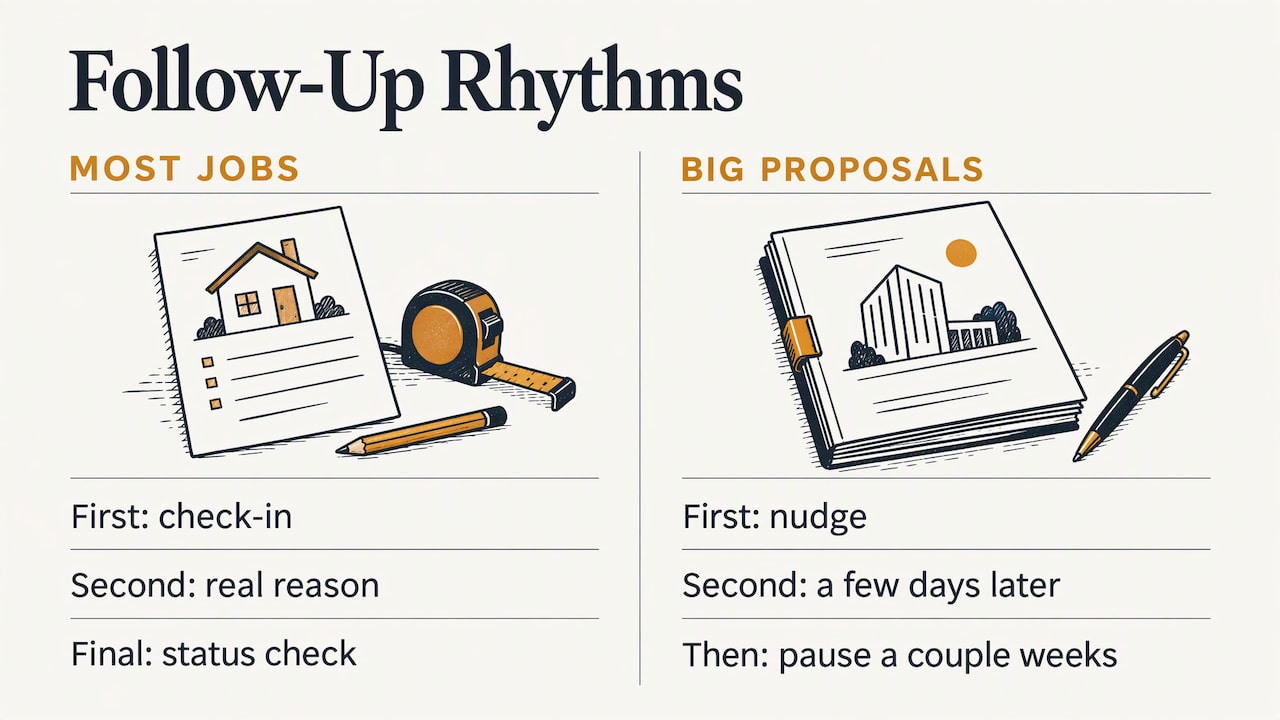
One useful real-world example comes from contractor guidance published by the National Association of Landscape Professionals. A contractor there follows up about a week after a proposal, again three or four days later, and then waits a couple of weeks before checking in only occasionally. That suits larger proposals where the customer needs time.
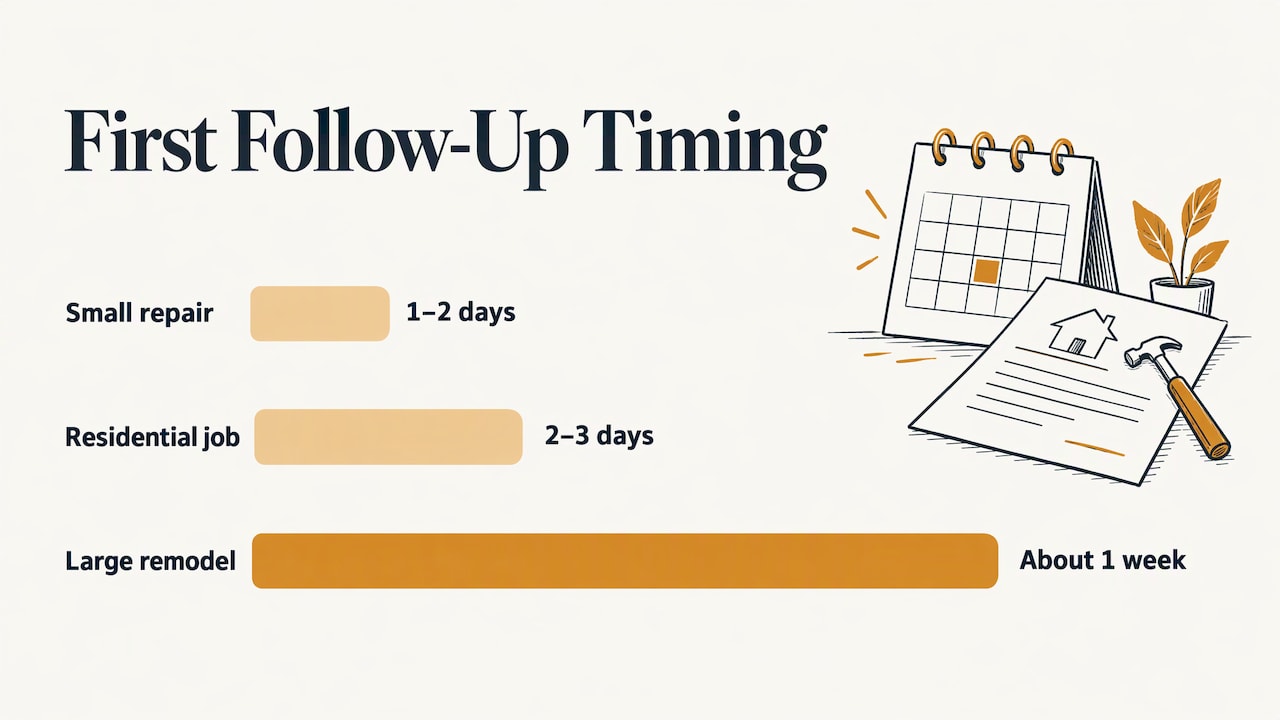
For typical small and mid-size repair or service estimates, a tighter first touch tends to work. A common approach among contractors is to check in two to three days after sending. Use these ranges as a starting point and adjust to how fast your customers usually decide:
| Job type | First follow-up | Second follow-up | Last touch |
|---|---|---|---|
| Small repair or service call | 1 to 2 days | 4 to 5 days later | Final status check after about a week |
| Standard residential job | 2 to 3 days | 4 to 5 days later | Final check after two weeks |
| Large remodel or commercial bid | About a week | 3 to 4 days later | Occasional check-ins every few weeks |
The table is a working schedule built from the pattern above, not a rule. If a customer told you “we are deciding after the first of the month,” follow that, not the table.
Use the expiry date as your reason
The most natural reason to write again is a date. When your estimate says it holds for 30 days, or that material pricing is good until a certain point, you have an honest, non-pushy reason to follow up. One practitioner guide on quote sequences makes the point that a dated expiry gives the sequence something real to hang on. Put an expiry on every estimate you send, and your follow-ups stop feeling like nagging.
If you are not sure how to word the validity period or where the line between an estimate and a quote sits, our guide on preventing estimate vs. quote disputes covers it in plain terms.
What a good estimate follow-up email contains
Every effective version has the same bones. Before you write, check that your email does these things:
- Replies in the original thread. The customer sees the whole history, and your estimate is one scroll away.
- Uses a plain subject line. Keep the original subject, or write something like “Your kitchen faucet replacement estimate.” No tricks, no fake urgency, no “Re:” on a message that is not a reply.
- Names the customer and the job. “Hi Maria, following up on the bathroom estimate I sent on Tuesday.”
- Recaps the scope in a line. Not the whole estimate, just enough to jog memory.
- Reattaches the estimate. Nobody should have to dig for it.
- Asks one question. The advice from WordStream’s follow-up guide is to ask one clear thing, such as whether you can answer any questions about scope, price or timing. One question gets answered. Three questions get ignored.
- Gives your phone number. Some customers would rather talk than type, especially about money.
Keep it under 100 words if you can. A follow-up is read on a phone, between other things.
Six estimate follow-up email templates
Copy these, then change the details so they sound like you. Brackets mean fill in your own information.
1. The first check-in (two to three days after sending)
Subject: Your [project] estimate
Hi [Name],
I wanted to follow up on the estimate I sent on [date] for [project]. It covers [one-line scope]. I have reattached it here.
Can I answer any questions about the scope, price or timing?
Thanks, [Your name] [Company] | [Phone]
This mirrors the structure WordStream recommends: recap, reattach, one question.
2. When you want to find the hesitation
Subject: Re: [Project] estimate
Hi [Name],
Just checking in on the estimate for [project]. If something is holding you back, whether that is the price, the schedule or the scope, I would rather know and see what I can adjust. Happy to talk it through by email or a quick call.
[Your name]
This works well when a customer has gone quiet after a promising walkthrough. It names the common objections so the customer can pick one instead of composing an explanation.
3. When the customer has asked questions or seems unsure
Subject: Re: [Project] estimate
Hi [Name],
Thanks for the questions about [topic]. It is completely reasonable to want to be sure about [the hesitation, for example the timeline or the materials]. Here is the short answer: [answer in one or two sentences].
To recap, the estimate covers [scope] for [total, taken from your estimate]. Is there anything else you would like me to clarify, or would a ten-minute call be easier?
[Your name]
The approach is to acknowledge the concern, offer to talk it through, briefly recap, and ask if anything else needs answering.
4. When the estimate is about to expire
Subject: Your [project] estimate is valid through [date]
Hi [Name],
A quick note that the estimate for [project] holds through [date]. After that, I would need to recheck material costs and my schedule. If you would like to move ahead, reply here and I will send the agreement and a start date.
[Your name]
Only use this one if the expiry is real. A fake deadline costs you trust the first time a customer notices.
5. When the customer is comparing other bids
Subject: Re: [Project] estimate
Hi [Name],
I know you are looking at a few options, which is smart for a job this size. If it helps, I am glad to walk through how my estimate breaks down line by line, so you can compare it against the others on equal terms.
[Your name]
This invites a comparison instead of resisting it. It also makes the point that your estimate is detailed, which is often what separates a hired contractor from a cheaper one.
6. The final check (when there has been no reply)
Subject: Still interested in [project]?
Hi [Name],
I have not heard back, and I know schedules change. Are you still interested in moving forward with [project]? A simple yes or no is fine. If the timing is not right, I can follow up again in [month].
[Your name]
This is the closing move the WordStream guide describes: an easy status question, with an acknowledgment that timelines move. It frees you to stop chasing and lets the customer say “not now” without awkwardness.
How many times should you follow up?
Three touches is a sensible ceiling for most residential and small commercial work: the first check-in, one follow-up with a real reason (an expiry, a question answered, a schedule opening), and the final status check. After that, move the customer to a longer-term list and reach out when something genuinely changes, like a seasonal slot or a new service.
For big proposals, the landscape contractor’s rhythm of a first nudge, a second one a few days later, and then a pause of a couple of weeks is a good model. Long-cycle customers are not ignoring you. They are budgeting.
Email, text or phone?
Email is the right default for the first follow-up, because the estimate is attached and the thread is documented. But plenty of customers answer a text in 30 seconds and an email in three days. If a customer has been texting with you throughout, text them, and check our breakdown on how to text estimates to clients for wording that works on a phone screen.
A phone call earns its place in two cases: the job is large, or the customer has already asked a question you could answer faster by talking. Follow a call with a short email recapping what you agreed, so the details are in writing.
Keep your follow-ups on the right side of the rules
Most one-to-one follow-ups to a customer who requested your estimate are low risk. But once you start automating or sending to lists, the rules matter, and this is where many small contractors get tripped up.
The FTC’s CAN-SPAM compliance guide says the law covers all commercial email, including business-to-business messages. Its requirements include accurate sender information, a subject line that is not deceptive, a valid physical postal address, a clear way to opt out, and honoring opt-out requests within 10 business days. The FTC also says that having a customer relationship does not automatically exempt a message from these rules. Whether an email counts as transactional or commercial depends on its primary purpose.
In practice, that means:
- Put your real business name and mailing address in the signature.
- Keep subject lines honest about what is inside.
- Include an easy “reply STOP” or unsubscribe line on automated sequences, and respect it.
- Do not email people you have no relationship with just because you found an address.
Text messages are a separate matter. According to Made For Builders, SMS is governed separately under the TCPA, which requires prior express consent, and that source recommends tracking email and SMS consent separately. A customer who gave you an email address on an estimate has not necessarily agreed to texts. Ask, and note the answer.
The same source notes that estimates and invoices are a natural place to capture email addresses, since the customer is already handing over contact details. A small “best way to reach you” field on your estimate form solves both problems. If your situation is complicated, a business attorney is the right person to confirm what applies to you.
Automating estimate follow-ups without sounding like a robot
The honest reason follow-ups fail is not that contractors do not know what to say. It is that at 6 p.m., after a day on a roof or under a sink, nobody wants to open a laptop. So the follow-up that was supposed to go out Thursday goes out never.
Automation solves that, but only if it respects what made the manual version work. A good automated follow-up:
- Pulls in the real details. Customer name, job description, estimate date and amount. A message that says “your project” signals a template.
- Fires on a trigger. The estimate was sent, the customer opened it, the expiry is in three days. Tie sends to what happened, not to a calendar guess.
- Stops when the customer replies. Nothing is worse than a “just checking in” arriving after you have already talked.
- Leaves room for you. The ability to review or tweak a message before it goes, especially on larger jobs.
- Follows consent rules. Separate tracking for email and text, an opt-out line, your address in the footer.
The same discipline carries into getting paid. When the job is done, the follow-up changes shape: our guides on payment reminder emails and overdue invoice collection pick up where this one stops.
Our perspective
We built Hechito because we kept seeing the same pattern: a tradesperson does great work all day, then loses the evening to paperwork, and the follow-up is the first thing to slip. The estimate is out the door, the customer is warm, and nobody writes the second email because there is no energy left.
Our view is that follow-up should not be a separate chore. The details you need, what the customer said, what you promised, what the job involves, are already spoken out loud or photographed on site. If those get captured as you work, the estimate and the reminder around it can be built from them, instead of from your memory at 9 p.m.
That is why we focus on turning voice notes and photos into organized records, and why Hechito works in both English and Spanish. Plenty of crews and customers move between the two languages, and the documents should come out cleanly in whichever one the customer needs. We want the tool to finish the task, not hand you one more thing to fill out.
The best follow-up is the one that actually gets sent. Make it specific, make it easy to answer, and make it automatic enough that it happens on your busiest week too.
Francisco
Let the paperwork follow itself up
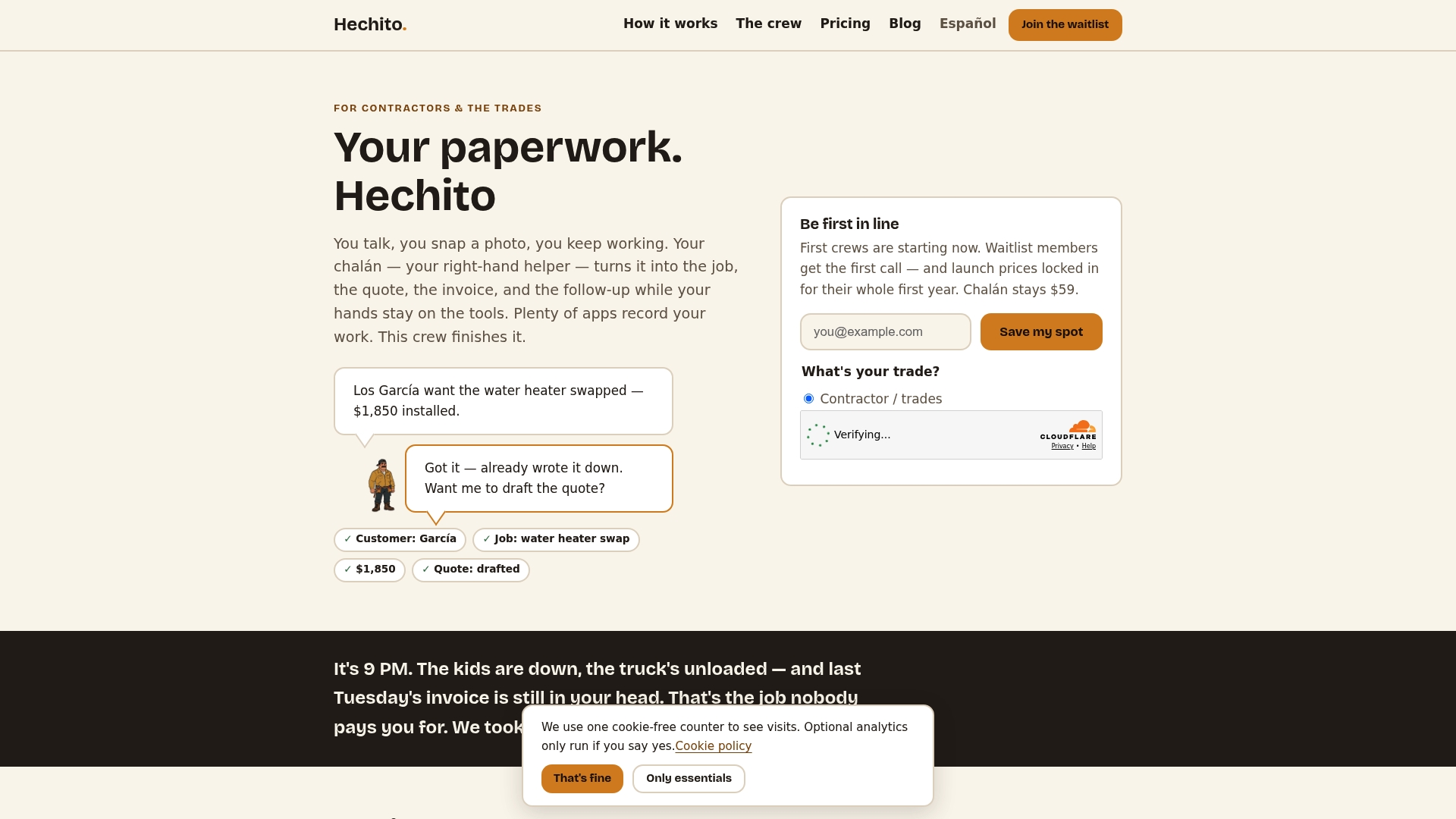
If you would rather spend your evenings off the keyboard, Hechito is built for exactly this. You talk through the job and snap photos on site, and we turn that into organized records, estimates and invoices, then help with the chasing that comes after. It works in English and Spanish, so you can speak either or both and still get documents in the language your customer expects.
See how it works for contractors on our invoicing and estimate app page, or look at the virtual co-workers on the Chalán, Lupita and Godínez page to pick the help you need. For a closer look at bilingual quoting, read how contractors turn voice and photos into dual-language estimates.
Mistakes that cost you the job
A few habits quietly undercut otherwise good follow-ups:
- Waiting too long. The longer the gap, the more the customer’s attention goes to whoever called back first.
- Starting with “just checking in.” It tells the customer nothing and asks for nothing. Lead with the job and the question.
- Sending a new email instead of replying. You lose the thread and the attachment.
- Discounting as the first move. If your first follow-up is a price cut, you teach customers that the first number was negotiable. Find the hesitation first.
- Chasing forever. After the final status check, stop. A clean close leaves the door open for later.
- Vague estimates. A follow-up cannot rescue an estimate that is unclear about scope, exclusions and payment terms. If your terms are fuzzy, our payment terms checklist helps tighten them before the estimate goes out.
Good follow-up also connects to the money side of the business. Jobs you win by following up still need to be invoiced on time, and our pieces on cash flow in construction and collecting final payment show what happens next.
A simple follow-up routine you can start this week
- Add a validity date to every estimate template.
- Save the first three templates above as email drafts you can paste in seconds.
- After each estimate goes out, set a reminder for two to three days (a week for large proposals).
- Write the follow-up in the same thread, with the estimate attached and one question.
- If there is no answer, follow up again near the expiry date.
- Send the final status check, then log the lead for a later check-in.
- Record the outcome. After a month you will see which template and which timing wins you the most jobs.
FAQ
How soon should I follow up after sending an estimate?
For most residential and small commercial jobs, two to three days is a good first follow-up. For larger proposals, a week is more realistic, with a second nudge three or four days later. If the customer gave you a decision date, use that instead.
What should I say if the customer does not reply?
Send a short final message asking whether they are still interested, and acknowledge that schedules change. A simple yes or no is enough. If they say not now, ask when you should check back, and note it.
Is it okay to automate estimate follow-up emails?
Yes, as long as the messages use real job details, stop when the customer replies, and follow the rules. The FTC’s CAN-SPAM guide requires accurate sender information, honest subject lines, a physical address and a working opt-out. Text messages need prior express consent under the TCPA.
Should I follow up by email or text?
Start with email so the estimate is attached and the conversation is on record. Switch to text if the customer already communicates that way and has agreed to receive texts. For big jobs or complicated questions, a call followed by a written recap works best.
How many follow-ups are too many?
Three is a sensible limit for most jobs: a check-in, a follow-up with a real reason, and a final status question. After that, wait for a genuine reason to reach out, such as a seasonal opening or a change in your pricing.
Sources
- Business Smarts: Sales Process Strategies to Keep the Ball Rolling (National Association of Landscape Professionals)
- Follow-up email after a quote: the exact template and sequence
- How to Write a Follow-Up Email (+12 Examples & Templates)
- CAN-SPAM Act: A Compliance Guide for Business (Federal Trade Commission)
- Email Marketing for Home Service Businesses (Made For Builders)
Recommended
This is the paperwork Hechito does for you — while you talk.

On iPhone? Coming very soon to the App Store.