Invoice Errors to Avoid: 12 Mistakes That Delay Contractor Pay
Invoice Errors to Avoid: 12 Mistakes That Delay Contractor Pay
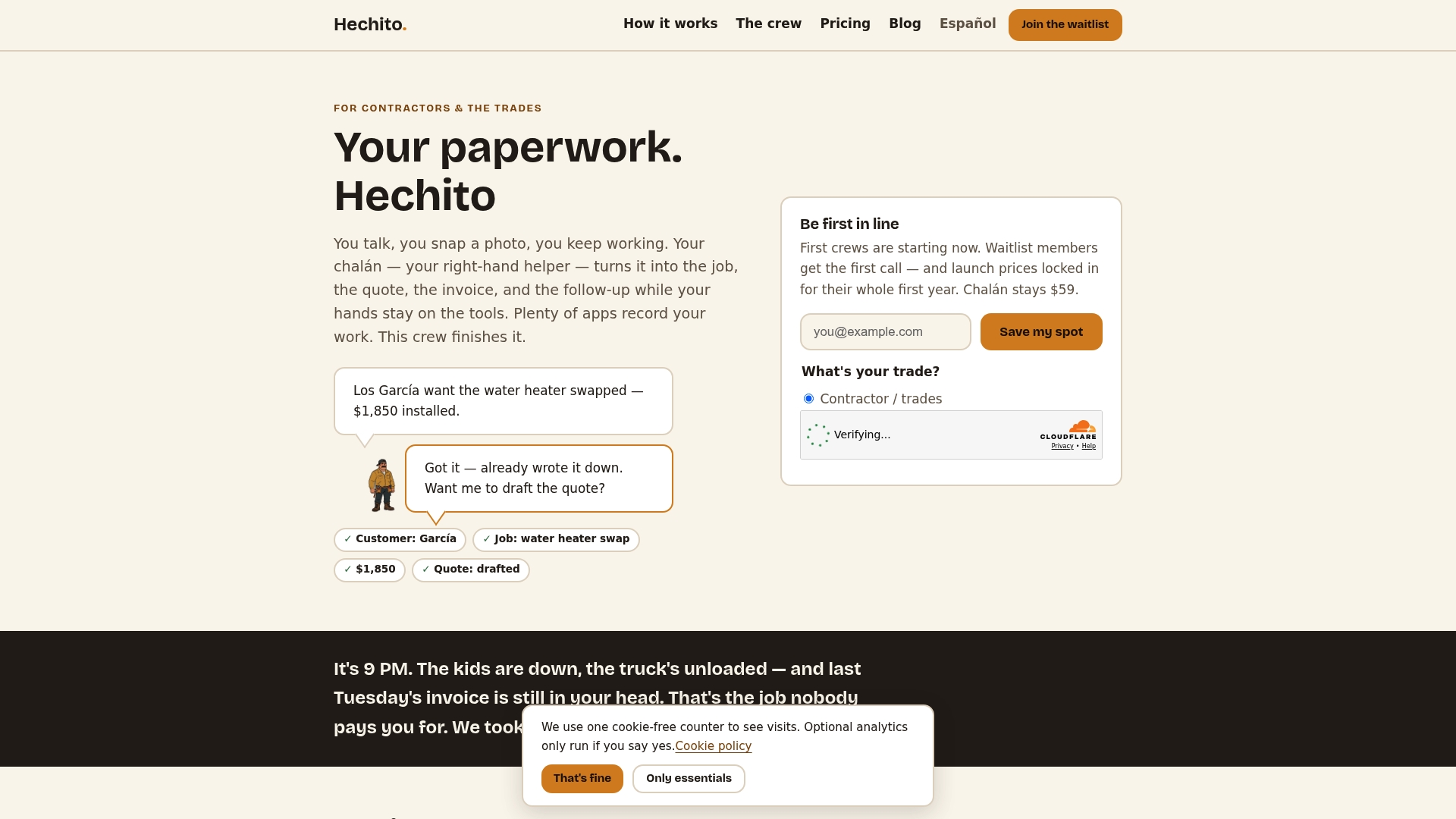
Most invoice errors that cost contractors money come from the same place: the invoice is written hours or days after the job, from memory, by someone who is tired. Wrong totals, missing dates, vague descriptions and a bill sent to the wrong person all follow from that. The fix is to capture the job details while you are standing in the job, then review a draft before it goes out. That is how Hechito is built: you talk and take photos on site, and the quote, invoice and job record come out of what you captured.
Below are the twelve errors that hold up payment most often, what each one looks like on a real job, and the quick check that catches it.
HechitoCapture Job Details Before Invoice Errors Add UpHechito turns on-site voice notes and photos into organized quotes and invoices, helping contractors reduce paperwork built from memory.VisitTL;DR
- Most rejected or disputed invoices fail on basics: missing job or PO numbers, wrong math, vague line items, no due date, or the wrong recipient.
- Bill only for work actually done and approved. Front-loading a pay application or billing an unsigned change order costs you credibility and time.
- Put the job details into the record on site, not at night. Errors multiply when invoices are rebuilt from memory.
- Use a draft, review, send routine, then follow up on a schedule instead of waiting until you are short on cash.
- Hechito turns voice notes and photos into quotes and invoices and chases payment, so the paperwork stops piling up after hours.
Table of Contents
- Why small invoice errors cost so much
- The 12 invoice errors to avoid
- A quick pre-send checklist
- What a red flag looks like to the person reading your invoice
- Check the hours before they become dollars
- Fix the system, not just the invoice
- Perspective
- How Hechito helps you avoid these errors
- FAQ
- Sources
Why small invoice errors cost so much
An invoice is not just a request for money. For many customers, especially general contractors, property managers and public agencies, it is a document that someone in accounts payable has to approve. If a field is missing or a number does not match their records, the easiest thing for that person to do is set it aside.
Public buyers show how strict this can be. The California Department of General Services lists what an accurate invoice must contain: the PO or contract number, detailed goods and services with quantities and unit prices, sales or use tax on its own line, the correct billing address, your invoice number and date, your company name and remittance address, and the payment terms. The same guidance requires departments to notify a supplier of a dispute within 15 working days. Private customers rarely publish a checklist, but their accounting staff are working from the same logic.
So the goal is simple: send an invoice that nobody has a reason to question.
The 12 invoice errors to avoid
1. Missing or inconsistent identifying details
The invoice has no job address, no PO or contract number, or the customer name is spelled three different ways across your estimate, your invoice and your texts. A bookkeeper at the customer’s office cannot match it to anything, so it sits.
Check: every invoice carries the customer’s legal name, the job site or project name, and any PO or contract number the customer gave you. Ask for the PO number when you accept the job, not when the invoice bounces.
Woodard, an accounting and advisory firm, lists invoices that are not tied to jobs or sites among the top pitfalls for trade contractors. When every voice note and photo is filed under the right job from the start, this one mostly disappears.
2. Duplicate or out-of-order invoice numbers
Two invoices with the same number look like a duplicate billing, and a customer who pays one may hold the other. A gap in the sequence raises questions too.
Check: number invoices in one continuous sequence, and before sending, confirm that number has not been used. Accounts payable teams routinely search for an earlier invoice with the same number as a standard validation step, so assume your customer’s team will do the same.
3. Wrong math
Quantity times rate does not equal the line amount, the subtotal is off, or tax was left out. It is the easiest error to make when you are typing at 9 p.m.
Check: for each line, multiply quantity by unit price and confirm it equals the line amount. Then add the lines and check the subtotal, tax and total. One validation guide points out that a line amount can be wrong even when the lines add up to the subtotal, so checking only the bottom line is not enough.
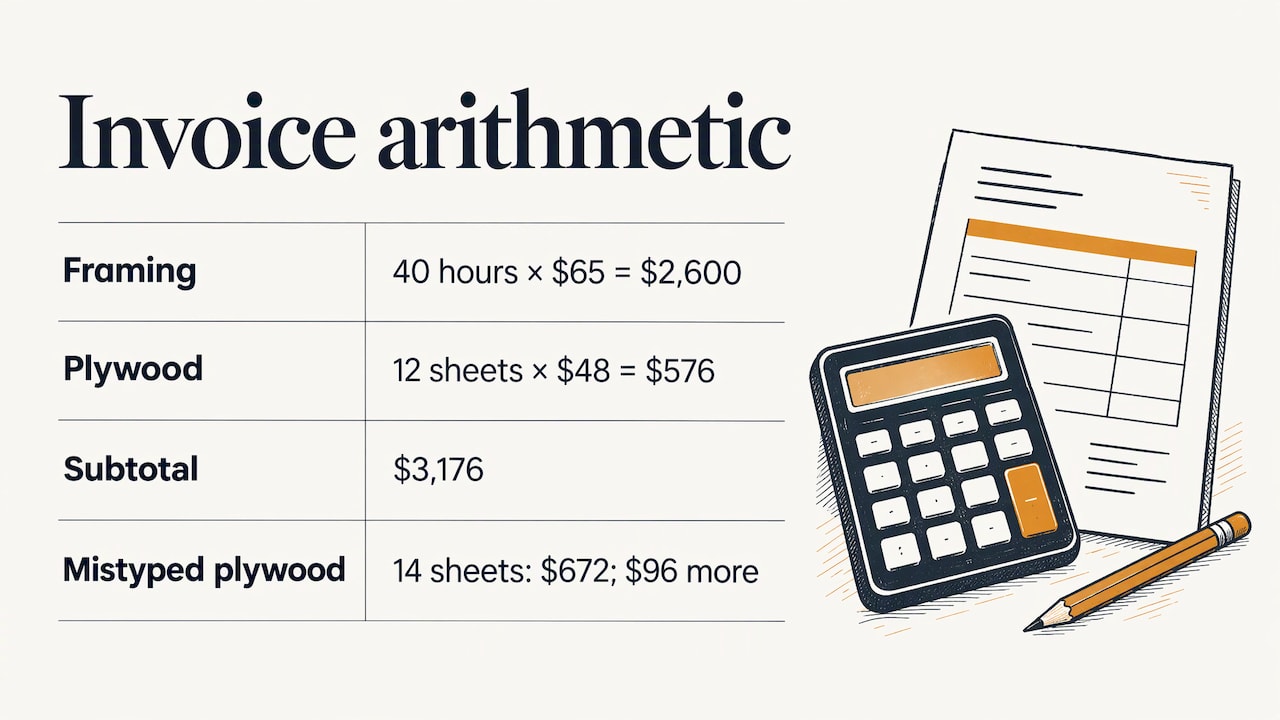
A worked example: you quote 40 hours of framing at $65 and 12 sheets of plywood at $48. The lines should be $2,600 and $576, a subtotal of $3,176. If you accidentally typed 14 sheets, the line shows $672 and the customer’s staff will compare it to the delivery or your estimate and flag the $96 difference. One small slip, and the whole $3,176 can be put on hold.
4. Sales tax handled wrong
Tax is added to labor that should not carry it, left off materials that should, or buried inside the total. Rules differ by state and sometimes by job type, so confirm what applies to your work with your state revenue department or your accountant.
Check: show tax as its own line, as the California guidance above requires of its suppliers, so anyone can see what was charged and on what.
5. Vague line items
“Labor and materials: $4,800” invites questions. Contractor-supply company Border States warns about both extremes: itemizing too much or too little, and unexplained fees that leave the customer guessing.
Check: describe the work in plain terms tied to your quote, with quantity, unit and rate for anything that is priced by the unit. Keep the level of detail the same from invoice to invoice so your documents look consistent.
Photos help here. A before and after picture attached to the job record answers “what exactly did you do?” before anyone asks. For more on tying photos to billing, see our guide to construction progress billing with field photos.
6. Billing for more work than is done
On progress billing, it is tempting to claim a higher percentage complete to ease cash flow. Construction Dive reports that subcontractors sometimes front-load pay applications, and that if an architect or bank inspector checks the numbers, it can cost the sub credibility and delay payment.
Check: bill what you can show. Dated photos and a short description of each completed milestone give you a defensible percentage and make the review go quickly.
7. Billing change orders nobody approved
The extra work was agreed on the driveway, over a text, or not at all. Then it appears on the invoice and the customer says they never approved it. Woodard flags change orders that live in texts and memory as a common trade-contractor pitfall.
Check: write the change down, with price, before you do the work, and get a yes in writing. A voice note captured on site that states the scope and the customer’s agreement goes into the job record at the moment it happens, which is far better than reconstructing it from memory a week later.
8. Deposits and partial payments not applied
The customer paid a 30% deposit, but the final invoice shows the full amount. Now you are explaining yourself, and your books show money owed that is not owed. Woodard calls the resulting overstated balance “phantom AR”, meaning accounts receivable that looks real on paper but has already been paid.
Check: before sending a final invoice, list every payment received on that job and subtract it. Show the contract total, payments to date and the balance due as three plain lines.
9. No payment terms or due date
“Due upon receipt” means different things to different people, and a blank means nothing. Without a due date there is no date on which the invoice becomes late.
Check: state the due date itself, such as “Due December 15”, along with how you accept payment and any late fee you actually agreed to in advance. Our payment terms checklist for contractors walks through the wording.
The due date should also never fall before the invoice date. Validation systems flag that as an obvious error, and so will a careful bookkeeper.
10. Missing retainage detail
If the contract withholds retainage, your invoice should show it clearly. Construction Dive notes that general contractors typically withhold 10% of the contract amount, sometimes reduced to 5% or lower at completion milestones, and that subs often miss the chance to ask for the reduction because they do not realize they can.
Check: track retainage withheld on every pay application, and note the milestone in your contract that lets you request a release. Our retainage explainer covers how it works and how to get it paid.
11. Sending it late, or to the wrong person
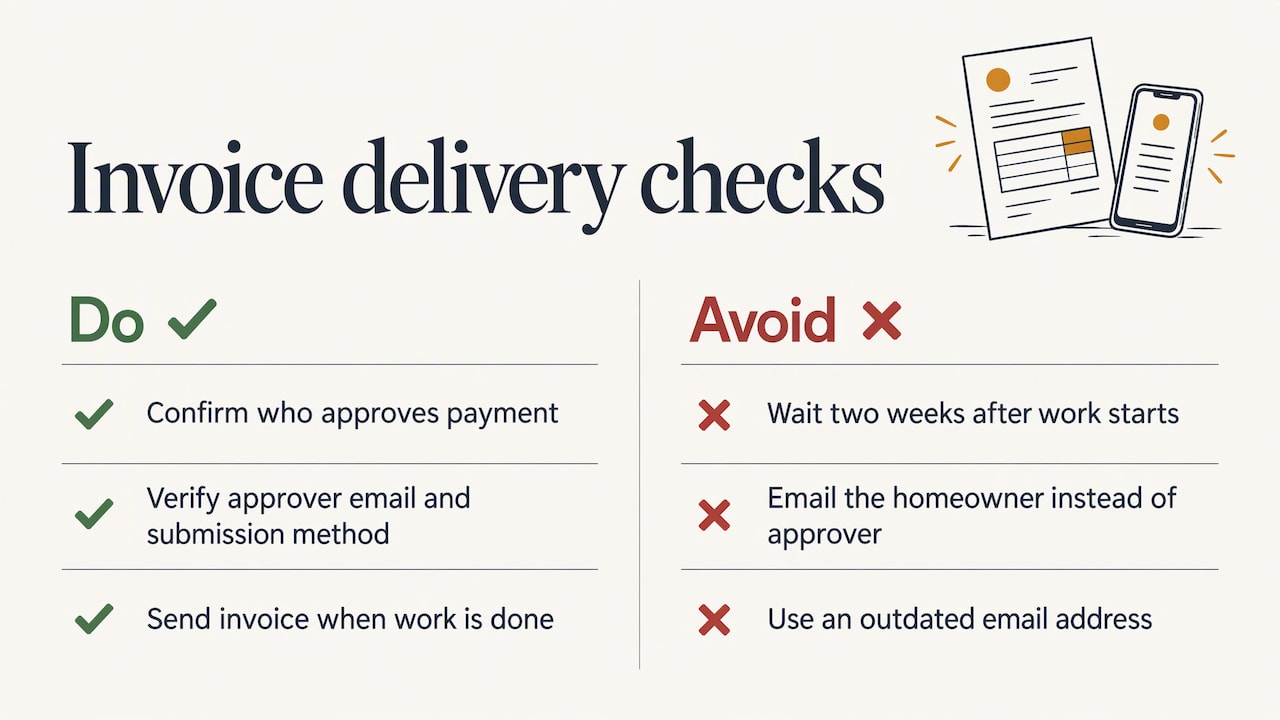
An invoice that goes out two weeks after the job starts the payment clock two weeks late. An invoice emailed to the homeowner when the property manager approves payments, or to an outdated address, never starts the clock at all.
Check: confirm at the start of the job who approves payment, their email, and whether the customer wants a PO number or portal upload. Then send the invoice the day the work is done. Practical advice on getting invoices paid faster lines up with this: complete, correct documents sent promptly get paid sooner.
Woodard describes the opposite problem for field crews: field invoices going out without review, or not going out at all. Both are expensive.
12. Waiting for the customer to pay instead of following up
No reminder, no call, no second notice. Woodard lists reactive follow-up as its own pitfall, and Border States lists “no follow-ups” among the common contractor errors. Silence reads as “not urgent”.
Check: set the follow-up schedule when you send the invoice: a friendly reminder before the due date, one on the due date, and a firmer one a few days after. Our guides on payment reminder emails, overdue invoice collection and invoice chase automation give you timing and wording.
A quick pre-send checklist
Before any invoice leaves your hands, run it through this list. It takes two minutes and catches most of the errors above.
| Check | What to confirm |
|---|---|
| Customer and job | Legal name, job site, PO or contract number |
| Invoice number and dates | Unique number, invoice date, due date after invoice date |
| Scope | Matches the quote or signed change order, line by line |
| Quantities and rates | Quantity times rate equals each line amount |
| Totals and tax | Subtotal, tax line and total all recalculated |
| Payments to date | Deposits and partial payments subtracted |
| Retainage | Withheld amount shown, release milestone noted |
| Recipient | The person who approves payment, correct email or portal |
| Backup | Photos, signed change orders, receipts attached if the customer needs them |
Before sending, confirm the job is finished and documented, then match the invoice line by line to the original quote, contract or purchase order. If something does not match, fix the underlying record first and recalculate. Do not simply change the grand total to hide the mismatch, because the line items will no longer add up and the error is still in your books.
What a red flag looks like to the person reading your invoice
It helps to think about how your customer’s accounts payable team reads an invoice. According to a finance-software guide on discrepancies, they look for duplicate invoices, quantity or price differences, tax errors, round-number totals and missing PO or approval references. A common example is an invoice that bills more units than were delivered, or a rate that differs from the contract.
None of these are about your quality of work. They are about whether the paper matches the paper they already have. That is why consistency matters: the quote, the change orders and the invoice should all tell the same story, in the same names and numbers.
Check the hours before they become dollars
If you bill time and materials, the invoice is only as good as the hours behind it. Crew hours that were never reviewed turn into disputed labor lines. A simple timecard approval workflow, where someone reviews and signs off on time before it is used, keeps wrong hours out of your invoices and your payroll.
Fix the system, not just the invoice
Every error above has a common cause: details are captured late and typed in by hand. The more steps between the job site and the invoice, the more places for something to slip. Our estimate to invoice workflow shows how to carry the quote, the changes and the finished work through to one clean bill, and the invoice aging process shows how to keep an eye on what is still open. For the wider picture, see cash flow in construction and accounts receivable in construction.
Perspective
Contractors do not make invoice errors because they are careless. They make them because the paperwork happens at the worst possible time: after a ten-hour day, from notes scribbled on a tailgate or half remembered from a phone call.
Our view at Hechito is that the answer is not a better template. It is capturing the job as it happens. When you talk through what you did and take photos on site, the details are already in the record, and the quote, the invoice and the follow-up come from that record instead of from your memory.
That is also why we built Hechito to work in both English and Spanish. Plenty of crews and customers speak both, and the documents should come out cleanly in whichever language the job requires, without anyone retyping them.
The goal is simple: you finish the work, and the paperwork is already done.
Francisco
How Hechito helps you avoid these errors
Hechito captures customer conversations and job details by voice and photo while you are on the job, and turns them into organized records without extra typing. From there it automates quoting through invoicing, sends estimates and invoices, chases payments, and manages receipts and bank reconciliation. It works in English and Spanish, and you can speak either or both.
The work is handled by virtual co-workers for the field, the phone and bookkeeping, offered as the plans Chalán, Lupita and Godínez. See how they fit your business on the Hechito crew page, or read more on invoicing and estimates for contractors.
FAQ
What makes an invoice invalid or likely to be rejected?
Usually it is missing something the customer needs to approve it: a PO or contract number, an invoice date, clear line items, tax shown separately, or the right recipient. Math that does not add up or a bill for work not yet approved also gets invoices sent back. Public buyers publish their requirements, such as the California Department of General Services, so it is worth asking any large customer for theirs.
What is an example of an invoice discrepancy?
A typical case is an invoice that charges for more units than were delivered, or at a price that differs from the quote or contract. Finance teams also look for duplicate invoices, tax errors and missing PO references. The way to avoid it is to match every line to your quote or signed change order before sending.
What should I do if I already sent an invoice with a mistake?
Tell the customer promptly, correct the underlying job or pricing record, recalculate every dependent amount and send a corrected invoice with a clear reference to the one it replaces. Avoid changing only the total, because the line items will no longer match, as this guide on fixing incorrect invoice data explains.
How soon should a contractor send an invoice?
As soon as the work is complete and documented, or on the milestone date set in your contract for progress billing. Sending the same day keeps the details fresh and starts the payment clock right away. Settle the billing schedule before you sign, since billing terms are best worked out before contracts are signed.
Sources
- California Department of General Services, invoice requirements
- Construction Dive, 7 invoice mistakes that waste time and money
- Woodard, top invoicing mistakes trade contractors should avoid
- Border States, professional contractor invoicing mistakes
- Docsumo, invoice validation checks
- Ramp, invoice discrepancies
- True Measure Accounting, accounts receivable workflow
- ONES, fixing missing or incorrect invoice data
- Getting invoices paid faster
- Timecard approval workflow
Recommended
This is the paperwork Hechito does for you — while you talk.