How Contractors Can Reduce Paperwork Without Losing Records
How Contractors Can Reduce Paperwork Without Losing Records
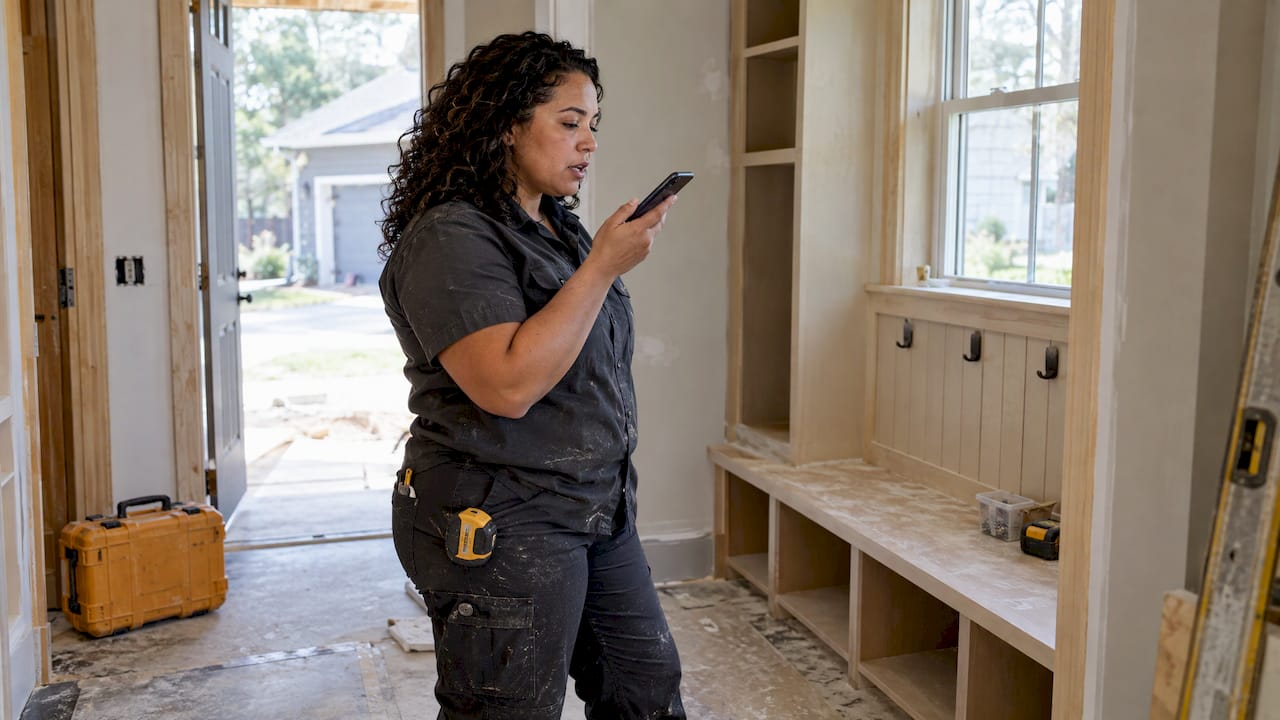
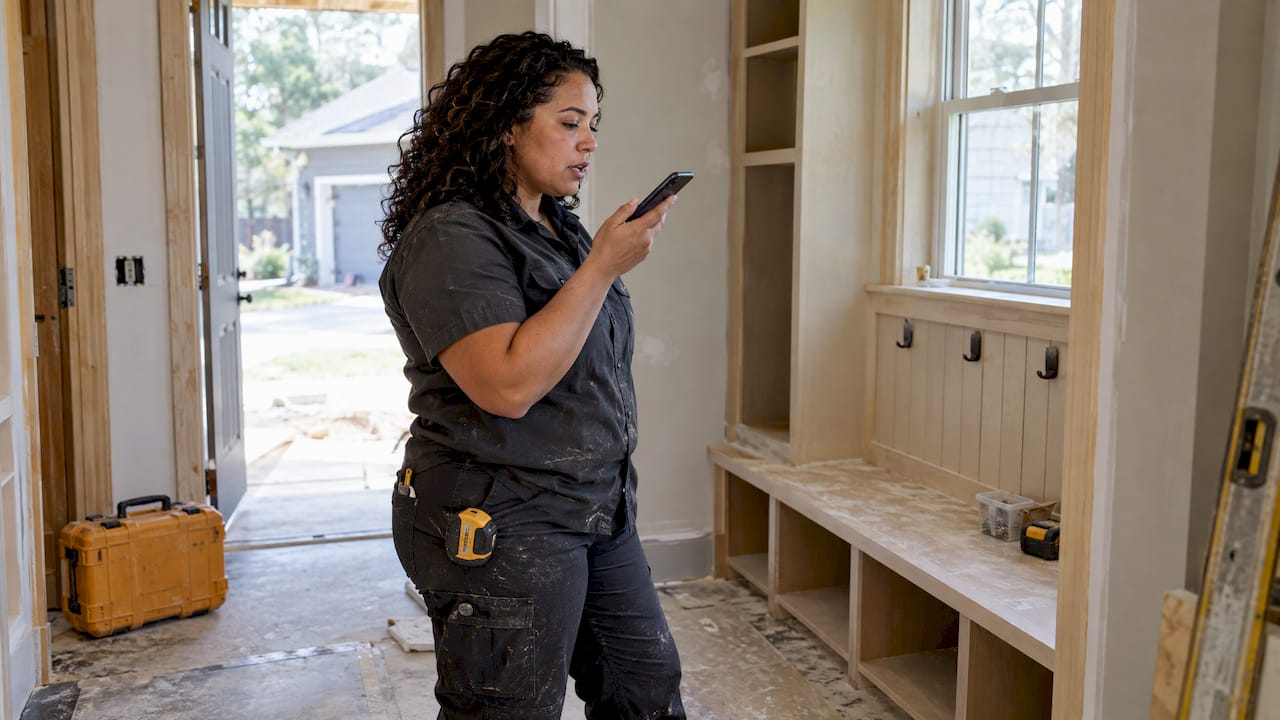
You reduce contractor paperwork by capturing each job detail once, at the moment it happens, and letting that single capture become the estimate, the job record and the invoice. The paperwork that eats your evenings is rarely the paperwork itself. It is the retyping, the remembering and the digging through texts, photos and receipts to rebuild what you already knew on site. Hechito is built around that idea: you talk and take photos on the job, and the quote, invoice and records are filed from what you captured.
HechitoKeep Job Details TogetherCapture customer conversations and job details with voice and images, then turn them into organized records from quote to invoice.VisitTL;DR
- Most after-hours admin is reconstruction: you rebuild the day from memory. Capture at the job site and the rebuilding disappears.
- Give every job one home for its estimate, change orders, photos, receipts and messages, so nobody searches three places.
- An invoice only gets paid fast when the backup travels with it: signed approvals, photos, material receipts.
- Keep tax records in line with IRS and small business guidance, and file them by job as you go instead of at month end.
- Voice and photo capture, in English or Spanish, is the quickest way to stop typing notes at night. Hechito does this from quote to invoice.
Table of Contents
- Where contractor paperwork actually goes wrong
- Capture once, on the job
- Give every job one home
- Invoice from the record, not from memory
- Know what records you must keep, and for how long
- Match the job to the books
- Decide who owns each step
- A 10-minute end-of-day routine
- What we think
- Put it to work with Hechito
- FAQ
- Sources
Where contractor paperwork actually goes wrong
A tradesperson rarely loses money because the paperwork is hard. The losses come from small gaps that pile up:
- A change order agreed out loud and never written down. The customer says “sure, add the extra outlet” on Tuesday. By the final invoice, nobody remembers it.
- A receipt in a truck cup holder. The material cost is real, but it never reaches the job, so the job looks more profitable than it was.
- An invoice that waits. If you wait until Friday night to bill Monday’s work, you are financing your customer for free and guessing at details.
- No backup when the customer asks. A homeowner or property manager questions a line, and you spend an evening finding the photos and approvals that would have ended the question.
Every one of these is a capture problem, not an accounting problem. The information existed at the time. It just did not land anywhere you could find it later. That is why the fix is a change in when and how you record things, not a heavier filing system.
Capture once, on the job
The most useful rule for cutting paperwork is simple: enter information one time, where it happens, and let it move to where it is needed. Everything else in this article follows from it.
In practice, that means four habits on site.
Talk instead of typing
When the customer describes what they want, or you spot a problem behind a wall, say it into a voice note right then. A 20-second spoken note holds more detail than the three words you would scribble, and it costs you no evening typing. The note needs to become something usable: a line on an estimate, an entry on the job record, a change order. A voice memo that sits unlabeled on your phone is just another pile.
This is the gap Hechito was designed to close. You speak what happened, and the details are organized into the job’s record without you typing them up later. You can speak English, Spanish or a mix, and documents come out in the language the customer needs, which matters on crews and with customers who work in both.
Photograph before, during and after
Photos are the cheapest insurance a contractor has. A professional CPA who writes for contractors advises keeping before, during and after photos with signed estimates, change orders and proof of payment as part of each job file. The key detail is that photos belong to a job. A camera roll of 4,000 undated pictures is not documentation. A photo attached to the right job on the day it was taken is.
For more on what to shoot and how to log it, see our guide to construction photo documentation.
Get approvals in writing, in the moment
If scope or price changes, get a yes you can point to before the work continues: a signed change order, or at least a written message from the customer that says what was approved. Record the conversation too. Our piece on client communication logs covers what is worth writing down so a disagreement three weeks later is settled by your record, not by whose memory is better.
Snap receipts to the job the same day
A receipt photographed at the counter, tagged to the job, is done. A receipt found in a glove box in March is a project. Matching material costs to jobs also tells you what each job really earned. We walk through that routine in receipt management for contractors.
Give every job one home
The second big paperwork saver is a single place per job. Estimate, signed contract, change orders, photos, material receipts, daily notes and customer messages all belong in one record, not scattered across text threads, email, a notebook and a folder in the truck.
A job file does two things. It lets anyone on your team, including the person who answers the phone or does your books, find the latest scope and price without calling you. And it protects you: the invoice is what you send, but the job file is what gets you paid and protects you later, in the words of that same CPA.
A workable job file holds:
| Item | Why it matters | When to add it |
|---|---|---|
| Signed estimate or contract | Defines the agreed scope and price | Before work starts |
| Signed change orders | Shows who approved extra work | The day the change is agreed |
| Before, during, after photos | Proves condition and progress | During the work |
| Material invoices and receipts | Ties costs to the job | Same day as purchase |
| Customer messages and call notes | Settles “I never said that” | As they happen |
| Invoice and proof of payment | Closes the file | At billing and payment |
If you want to go deeper on what a field record should contain for payroll and claims, read our breakdown of daily construction logs.
Invoice from the record, not from memory
Slow invoicing is where paperwork turns directly into cash flow trouble. The fix is to bill from what you already captured, as soon as a stage is done.
A clean estimate-to-invoice flow looks like this:
- Quote from the site visit. Describe the work while you are standing in it, and add photos. The quote is built from that capture.
- Get the approval recorded. A signed or clearly confirmed estimate becomes the baseline for the job.
- Log changes as they happen. Each change gets a short note, a price and an approval.
- Invoice at the milestone or completion. Pull line items from the job record, not from a mental replay of the week.
- Attach the backup. Photos, approvals and material costs that support the charge go with it, so the customer has less to question.
- Follow up on a schedule. A late invoice needs a reminder routine, not an awkward phone call once a month.
We lay these steps out in detail in our estimate to invoice workflow, and the collection side in overdue invoice collection for contractors. If you want the bigger picture on how money moves through a job, accounts receivable in construction and cash flow in construction explain why a few days of billing delay add up.
Hechito handles this chain from quoting to invoicing, sends estimates and invoices, and chases payments, so the follow-up does not depend on you remembering.
Know what records you must keep, and for how long
Cutting paperwork does not mean throwing records away. It means keeping the right ones in a form you can find. Here is what the official and professional guidance says for U.S. businesses.
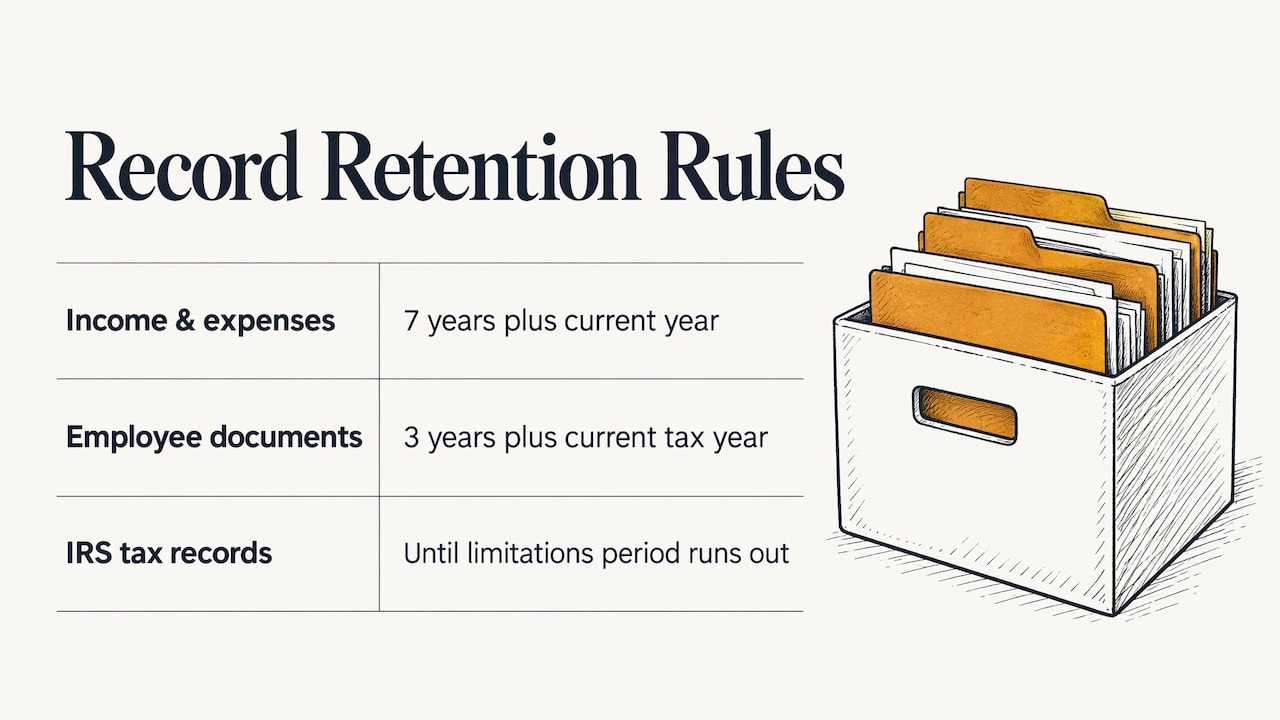
Tax records. The IRS explains that businesses must keep supporting documents such as invoices, receipts, canceled checks and payroll records, because they back up the entries on a tax return. Records need to be kept as long as they may matter for administering the tax code, which generally means until the period of limitations runs out. Publication 583 is an older revision, so check the IRS site for the latest version of the guidance.
A practical retention rule. A Small Business Development Center recordkeeping guide suggests keeping income and expense records for seven years plus the current year, on paper or electronically with a secure backup, and employee documents for three years plus the current tax year. Its examples include vendor invoices and receipts, 1099 forms, signed W-9s for 1099 contractors and timesheets for nonexempt employees.
Payroll records. State rules differ. Washington’s Department of Labor & Industries, for example, lists what itemized pay records and timesheets must contain, including gross and net pay, overtime hours, pay period dates and rate of pay. Check your own state’s labor agency for your requirements. If payroll compliance is eating your time, a payroll compliance support service can take on the filings and records so your job paperwork stays separate.
The point for your daily routine: if each receipt, invoice and time entry is filed against a job when it happens, you are building the tax and payroll record at the same time. You do not do the work twice.
Match the job to the books
Bookkeeping is another place where paperwork multiplies. Receipts get entered once for the job and again for the accountant, and bank transactions get matched by hand at quarter end.
A smoother path: code each cost to a job the day it occurs, and reconcile against the bank regularly instead of in one painful session. That also gives you job costing you can trust. Our guides on bookkeeping for contractors using field capture and job costing for contractors show how field data feeds your books. Hechito manages receipts and bank reconciliation as part of the same record, so the person doing your books starts from coded entries, not a shoebox.
Decide who owns each step
On a crew of two to ten, paperwork fails when everyone assumes someone else did it. Pick an owner for each stage of a job and write it down. Contractor workflow guidance from a construction accounting firm recommends assigning responsibilities in pre-construction, such as who orders materials and coordinates with vendors, and requiring daily logs from both internal labor and outside vendors so problems show up in the log rather than in a customer call.
A simple ownership list for a small shop:
- Estimating: who visits, who writes the quote, who sends it.
- Field capture: who takes photos and notes on each job (usually everyone on site).
- Change orders: who gets the approval, and who adds it to the file.
- Purchasing and receipts: who tags each receipt to a job.
- Billing and follow-up: who sends invoices and who chases late ones.
- Closeout: who confirms the file is complete and payment is received.
If you run a one-person business, you hold all six roles. That is exactly when it helps to hand some of them to software that does the work instead of just storing it. Hechito offers virtual co-workers for field, phone and bookkeeping tasks, under the names Chalán, Lupita and Godínez, so a solo contractor or a small crew can cover those roles without hiring.
A 10-minute end-of-day routine
Even with capture on site, a short close of the day keeps gaps from growing. Aim for ten minutes:
- Confirm every job you touched has today’s photos and notes.
- Check that every receipt is tagged to a job.
- Make sure any verbal change has a written approval or a message to the customer.
- Send any invoice for a completed stage.
- Note tomorrow’s first job and what you need to bring.
If step one through three are done on site, this takes minutes. If they are not, the same routine takes an hour, which is the evening paperwork you are trying to eliminate.
What we think
Contractors do not hate paperwork because they are bad at it. They hate it because it arrives after a full day, when the details are already fading. Most apps ask you to do the same typing, only on a phone.
We built Hechito on a different idea: the job site is where the information is, so that is where it should be captured. You talk, you take photos, and the record, the quote and the invoice follow. It works in English and Spanish because plenty of crews and customers move between both, and the paperwork should come out right in whichever language is needed.
Our virtual co-workers are meant to finish tasks, not just log them: the quote gets sent, the invoice gets chased, the receipt gets matched. Your time goes to the work you are good at.
Francisco
Put it to work with Hechito
If you are tired of rebuilding your day at the kitchen table, Hechito turns what you say and photograph on the job into quotes, invoices and organized job records. It sends estimates and invoices, chases payments, manages receipts and bank reconciliation, and runs in English and Spanish. You can meet the virtual co-workers, Chalán, Lupita and Godínez, on the crew page, or see how it works for contractors.
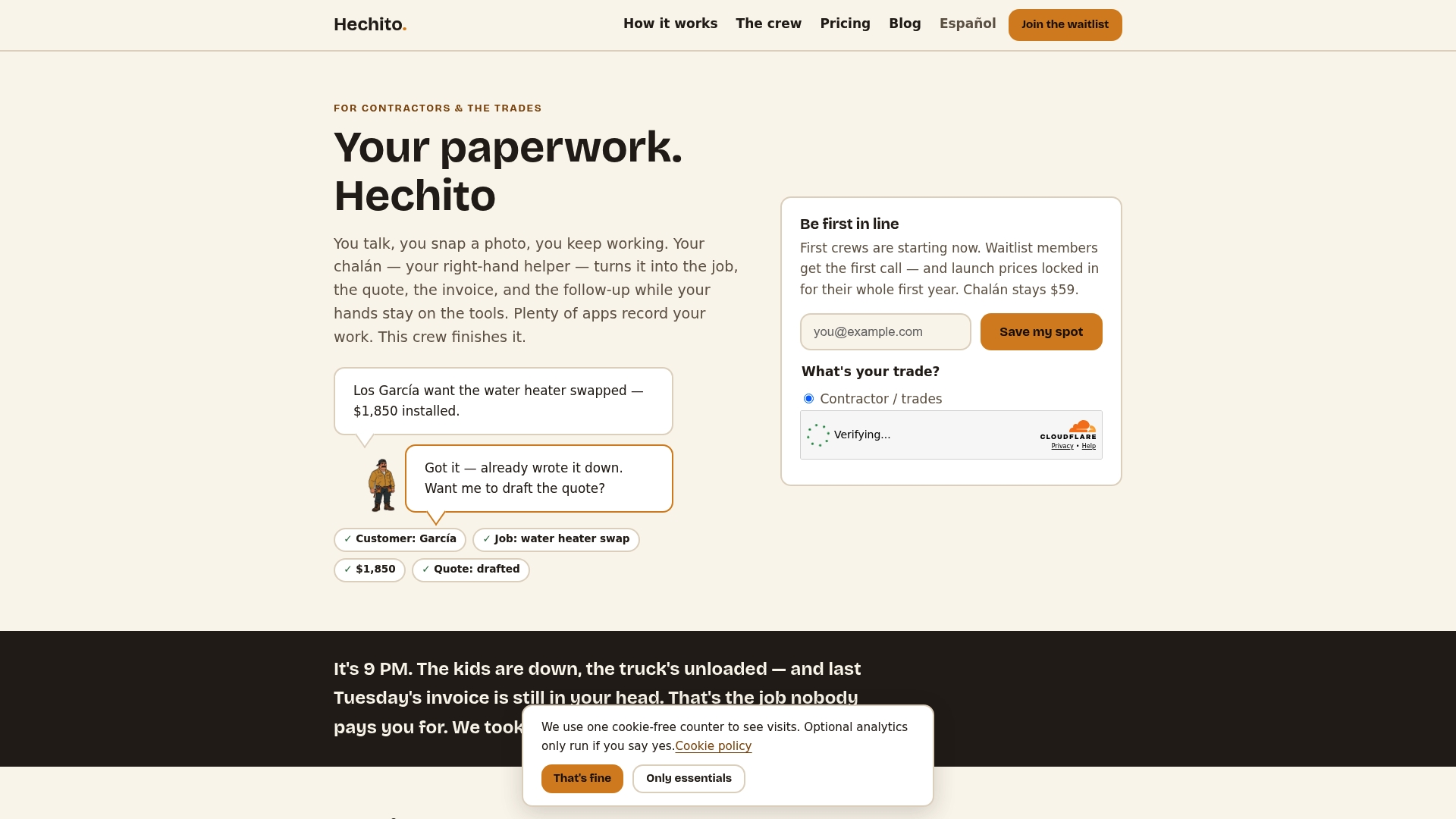
Start with one job: capture it by voice and photo from the first visit, and see how little is left to type at the end.
FAQ
What is the fastest way to cut paperwork as a contractor?
Capture details once, on site, by voice and photo, and file them to the job immediately. Most paperwork time goes to retyping and reconstructing the day later. Removing that step does more than any filing system.
What documents should be in every job file?
Keep the signed estimate or contract, signed change orders, before, during and after photos, material invoices or receipts tied to the job, and the invoice with proof of payment. A CPA who works with contractors lists these as the backup that supports your invoice and protects you later.
How long do I need to keep contractor records?
The IRS says records must be kept until the period of limitations for the return runs out. A small business development center guide suggests seven years plus the current year for income and expense records, and three years plus the current tax year for employee documents. Your state and any government contracts may add rules, so confirm with your accountant.
Can I run paperwork in both English and Spanish?
Yes. Hechito lets you speak either language or both, and it generates documents in the language the job requires, so crews and customers can each work in their own.
Sources
- Contractor Invoices and Job Files, Nina Guidi, CPA
- IRS Publication 583
- Small Business Recordkeeping Guidelines, SBDC
- Recordkeeping Requirements, Washington State L&I
- How to Map Your Workflow, Construction Cost Accounting
Recommended
This is the paperwork Hechito does for you — while you talk.