Virtual Coworker for Contractors: What It Does and How to Use One
Virtual Coworker for Contractors: What It Does and How to Use One
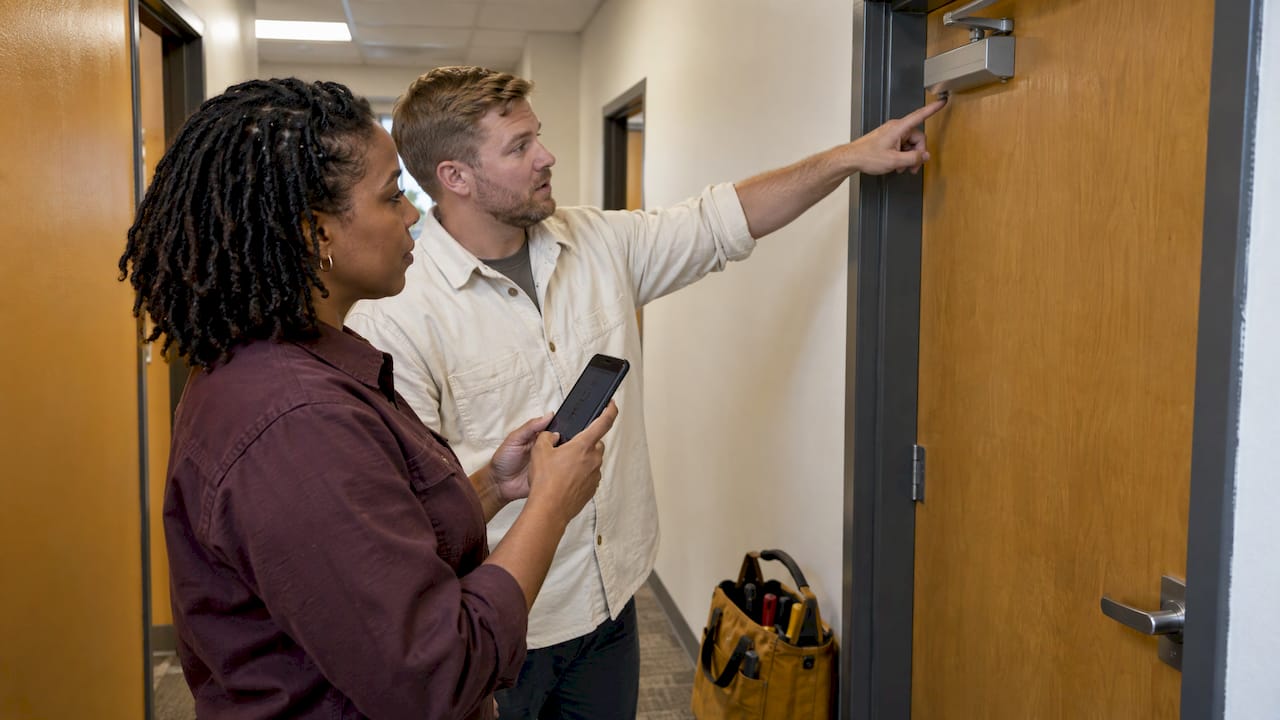
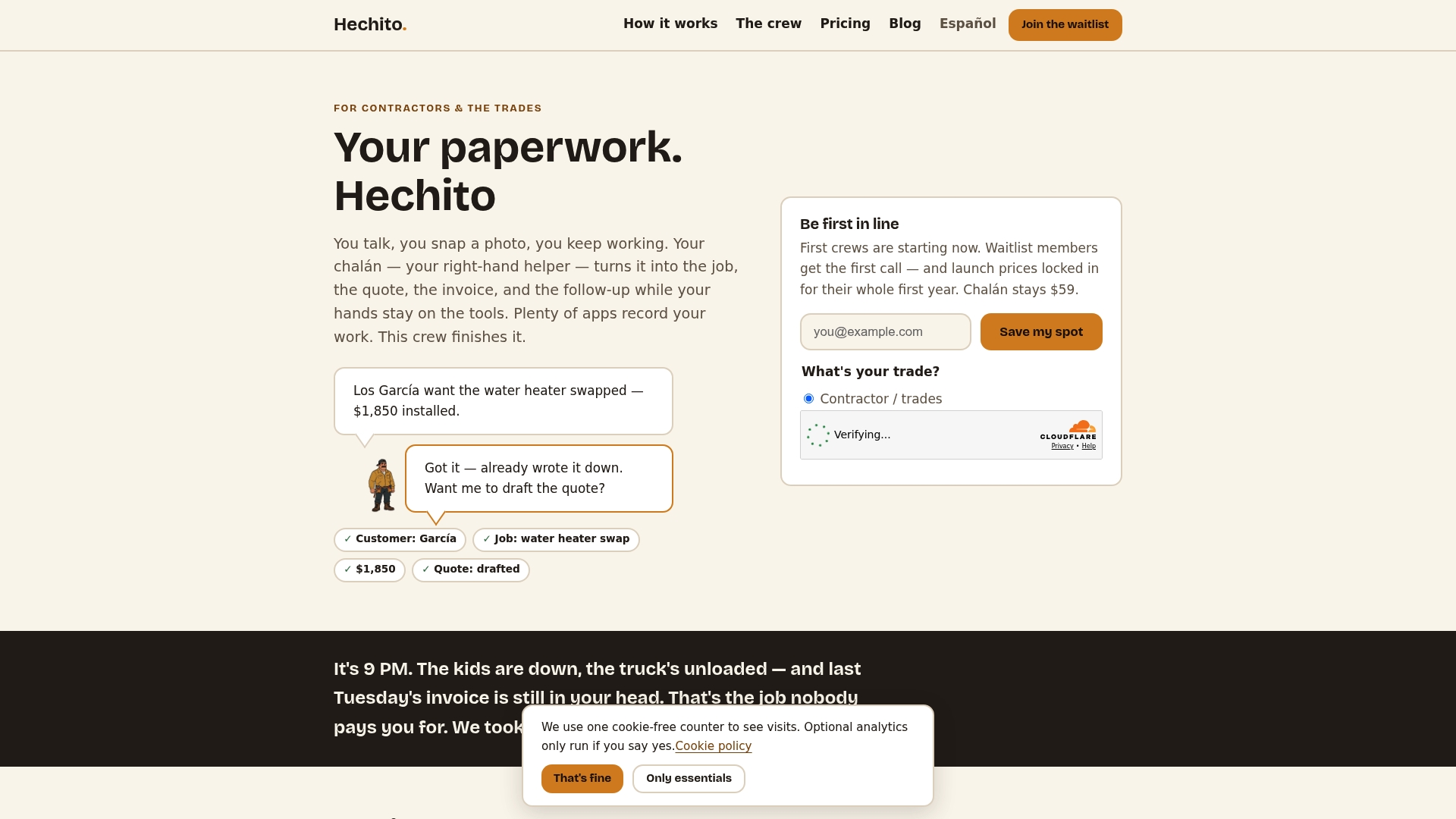
A virtual coworker for contractors is software that does the paperwork you would otherwise do at the kitchen table at 9 p.m. You talk through the job, snap photos, and it turns that into the estimate, the invoice, the receipt record and the payment reminder. A human virtual assistant needs to be told what to do, and ordinary software needs you to type. A virtual coworker listens, files and follows through. That is how Hechito’s crew works: you talk, it’s filed.
This guide explains what a virtual coworker covers, where it saves the most time, how it compares with hiring a person, and what to set up so your records hold up.
Hechitohechito.comKeep Job Paperwork MovingHechito captures conversations and job details through voice and images, helping contractors turn field notes into organized records without extra typing.VisitTL;DR
- A virtual coworker takes over the paperwork chain: job notes, estimates, invoices, receipts and payment follow-up, captured from voice and photos on site.
- Use a human assistant for work that needs judgment and relationships. Use a virtual coworker for the repeatable paperwork that happens on every job.
- Hechito’s crew covers field, phone and bookkeeping tasks, and works in English, Spanish or both, with documents produced in the language each customer needs.
- Set it up around one job at a time: capture, estimate, invoice, receipts, chase. Then review what it drafts before it goes out.
- Keep your records organized by job. The IRS generally suggests keeping business records for three years.
Table of Contents
- What a virtual coworker actually is
- The paperwork chain it takes off your plate
- Field, phone and books: three roles on one crew
- Why bilingual matters in the trades
- Virtual coworker or human assistant: how to decide
- What the paperwork is really costing you
- How to set one up in a week
- What to check before you rely on any virtual coworker
- Where field work and offline jobs fit
- Perspective: why we built a crew and not another app
- Hire a crew, not a subscription
- FAQ
- Sources
What a virtual coworker actually is
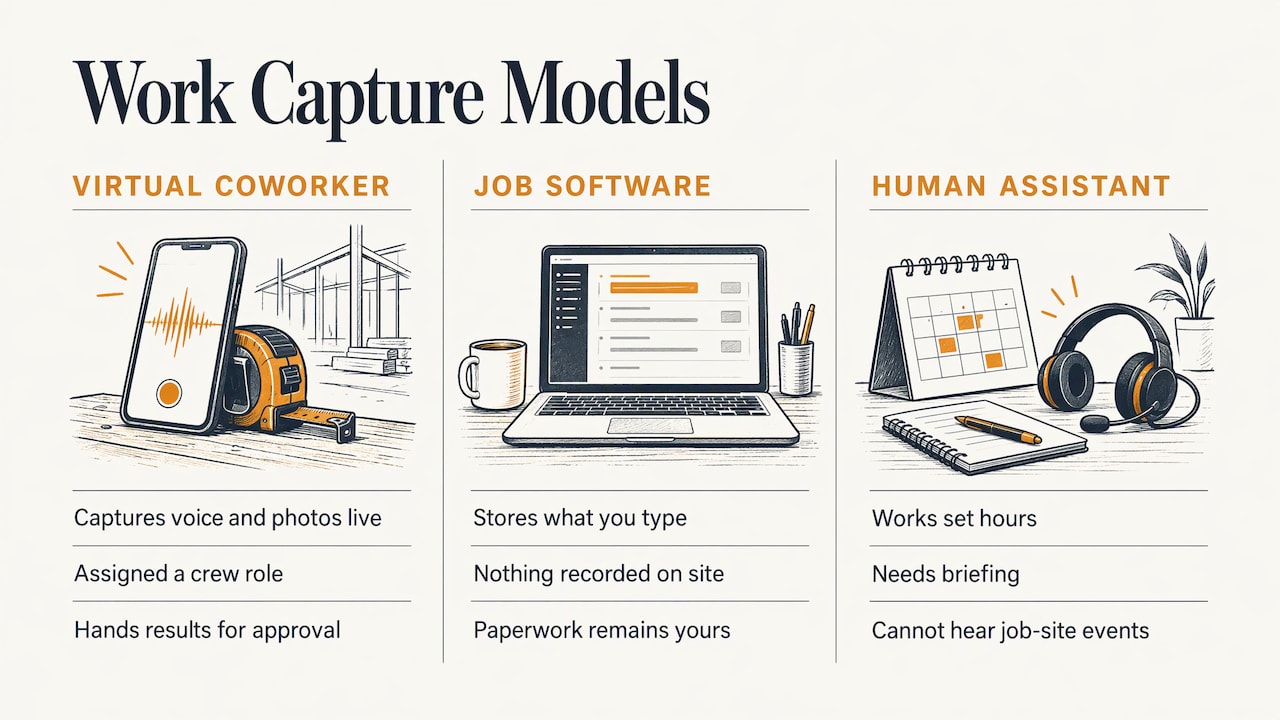
The term gets used loosely, so here is a working definition for a trade business. A virtual coworker is a software helper that is assigned a role on your crew, the way you would assign a person to the office, the phone or the books. It does the work in that role and hands you the result to approve.
That separates it from two things you may already know.
Ordinary job software. Most apps are filing cabinets. They store what you type in. If you are on a ladder or in a crawl space, nothing gets recorded until you get home and enter it. The paperwork is still yours.
A human virtual assistant. A remote assistant can handle scheduling, bid prep and follow-up, and many contractors hire one. The assistant works set hours, has to be briefed, and cannot hear what happened on the job site unless you tell them later. Your notes still have to get from your head to theirs.
A virtual coworker closes that gap by capturing the information at the source: your voice and your photos, in the moment. Hechito’s approach is built on that idea. It records customer conversations and job details in real time and converts the spoken notes into organized records, so there is no second round of typing.
The paperwork chain it takes off your plate
Paperwork on a job is one chain. Each link depends on the one before it. If the first link is weak (a half-remembered scope of work), every later document is weak too. A virtual coworker works best when it handles the whole chain, not one piece.
1. Job capture
You walk the job with the customer and talk: what they want, what you see, what you quoted verbally. You take photos of the problem, the existing conditions and the finished work. The coworker turns that into a job record with the details attached. Nothing depends on remembering it that evening.
2. Estimates and quotes
Because the scope is already captured, the estimate is drafted from it instead of rebuilt from memory. You review the amounts, adjust, and send. Our walkthrough of the estimate to invoice workflow for contractors shows each step of that handoff and where jobs usually leak money.
3. Invoices
When the work is done, the invoice comes from the same record as the estimate. Change orders and extras mentioned out loud on site are in the file, not lost between the driveway and the office.
4. Receipts and bookkeeping
Materials receipts are the paperwork most often left in a truck cup holder. A coworker that takes a photo of the receipt and ties it to the right job keeps your costs where they belong. See receipt management for contractors for a job-based system, and bookkeeping for contractors using field capture for how coding jobs on the same day keeps month-end short.
5. Chasing payments
Late payment is a paperwork problem as much as a customer problem. Reminders go out when they should, from an invoice that is accurate. Hechito sends estimates and invoices and chases payments as part of the same flow. More on the routine in invoice chase automation and the invoice aging process.
Field, phone and books: three roles on one crew
Hechito describes its crew as virtual co-workers for field, phone and bookkeeping tasks. Thinking in roles helps you decide what you need first.
| Role | The problem it addresses | What changes for you |
|---|---|---|
| Field | Notes, photos and job details get captured late or not at all | You talk and snap on site, and the record builds itself |
| Phone | Calls missed while you are under a sink or on a roof | Calls get answered and the details are recorded |
| Bookkeeping | Receipts, invoices and bank matching pile up | Expenses are organized by job and reconciled with the bank |
The phone role matters more than most contractors expect. A missed call is often a missed job. Lupita is Hechito’s bilingual answering service for your business, so a caller can speak English or Spanish and still reach someone who understands the request. You can read more about her on the Lupita page.
Why bilingual matters in the trades
In the US, language is a daily working issue on job sites, not a side feature. According to the National Association of Home Builders, Hispanic workers made up 32% of the construction labor force in 2023, compared with 19.2% across all industries. Many crews, subcontractors and customers work in Spanish, English or a mix of both in the same conversation.
Most software forces you to pick one language and stay there. Hechito lets you speak either language or both, and then generates the estimate, invoice or message in the language the customer needs. If you dictate in Spanish to your crew lead and the homeowner reads English, the document goes out clean in English, with no retyping or translating on your end.
That has a direct bottom-line effect. Fewer misunderstandings about scope mean fewer disputes at payment time.
Virtual coworker or human assistant: how to decide
This is not either/or for everyone, but a simple test helps. Ask how you would describe the task.
- If you would say “take what I just told you and put it into a document,” that is repeatable work. A virtual coworker is built for it, and it works at the moment of the job, not hours later.
- If you would say “own this relationship for me,” such as negotiating with a supplier or managing a tricky client, that is judgment work. Keep it with a person, which on a small crew usually means you.
The cost structure also differs. A human assistant is paid for hours, whether or not there is paperwork to do. A virtual coworker is a monthly subscription per role, so you add the role you need, such as the phone, without taking on payroll. Hechito’s pricing page is the place to see how that works, and it is built around the idea of hiring a crew instead of buying a subscription.
For a one- to five-person shop, this matters. You get coverage for the tasks that eat evenings without adding a salary, a desk or a training period.
What the paperwork is really costing you
The hours are easy to underestimate because they are scattered: ten minutes on a text, twenty on a receipt, an hour on an invoice at night. Add them up across a week and you have given away a full workday.
The money side is just as direct. Jobs that get invoiced late get paid late, and cash flow in construction is already tight. Our guide to cash flow in construction covers why days between finishing work and sending the bill do the most damage. If you track job profit, see job costing for contractors for how field data supports your work-in-progress numbers.
There is a records side too. The IRS says the general rule is to keep records for three years, with employment tax records kept at least four years, depending on the document. A coworker that files everything by job as it happens means that a year or two later you can find the photo, the approval and the invoice in one place.
We cover the broader approach in how contractors can reduce paperwork without losing records.
How to set one up in a week
Do not try to move your whole business at once. Start with one active job and one role.
Day 1: Pick the one job
Choose a job that is underway or about to start. You want real material to run through the system: a conversation, photos, a receipt.
Day 2: Capture by voice and photo
On site, talk through scope and conditions out loud as you would to a helper standing next to you. Be specific about numbers, materials and what the customer agreed to. Take wide shots and close-ups. Specifics in, specifics out.
Day 3: Review the draft estimate
Read what was drafted. Check quantities, rates, tax and the customer’s name and address. Treat it the way you would treat a good helper’s first draft: you sign off before it goes out. This review takes a minute or two and keeps you in control.
Day 4: Send, then invoice from the same record
Send the estimate. When the work is complete, create the invoice from the same job record so extras and changes carry through.
Day 5: Photograph every receipt
Snap materials receipts the moment you get them and tie them to the job. If you tackle only one habit, make it this one. It is the cheapest way to protect your margins.
Following week: Add the phone
Once the paperwork chain feels natural, add the phone role so calls from new customers are answered while you work.
The how Hechito works page walks through the talk, snap, done flow in the product itself.
What to check before you rely on any virtual coworker
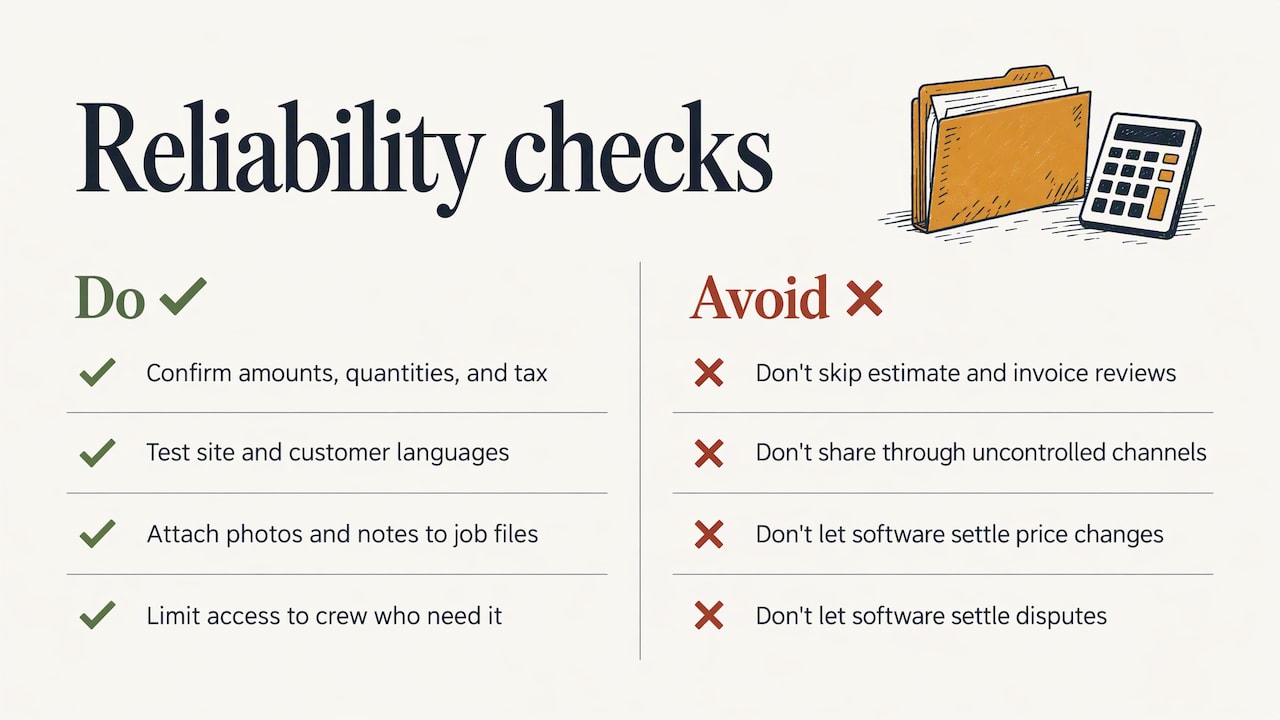
A coworker only helps if you can trust what it produces. Check these five things.
Accuracy on your numbers. Dollar amounts, quantities and tax are yours to confirm. Review every outgoing estimate and invoice, especially early on.
Language handling. Confirm that it works in the language you speak on site and produces documents in the language your customer reads. For a bilingual crew, this is the first test.
Records you can find. Everything should be organized by job, with photos and notes attached, so you can pull a file in seconds when a customer calls about a past job.
Privacy of customer information. Customer addresses, phone numbers and project photos are sensitive. Only share information through channels you control, and keep access limited to people on your crew who need it.
A clear handoff to you. Anything that needs a decision, such as a price change or a customer dispute, should come back to you, not be settled by software.
The broader point: automation for paperwork works best when each step is predictable and reviewable. The same logic applies to other kinds of businesses. A practical guide to CRM workflow automation for service businesses shows how mapping a process before automating it pays off. If you also want ideas on how AI is being used elsewhere in the trades, see this overview of AI for home service businesses.
Where field work and offline jobs fit
Contractors do not always have a signal. Basements, rural jobs and new builds are common dead zones. A coworker built for the field has to keep working there. Our article on field service automation with agentic AI and offline work covers how fewer trips and offline capture fit together, so you are not stuck waiting for a bar of service to log a job.
Perspective: why we built a crew and not another app
Most contractors we talk with are not bad at paperwork. They are good at the work, and the paperwork happens at the worst time: after a full day, when you are tired and the details are already fading.
Apps that only record what you type have the same problem as a notebook. You still have to be the one who writes. We wanted the opposite: you do the job and say what is happening, and the paperwork gets done as a result.
That is why we think of Hechito as a crew, not a tool. You bring on a field helper, a phone helper or a bookkeeping helper, and each one finishes its task instead of handing you more to do. It works in English and Spanish because that is how many job sites actually run.
The result we aim for is simple: no end-of-day paperwork pile, no detail lost between the driveway and the office, and invoices that go out while the job is still fresh.
Francisco
Hire a crew, not a subscription
If the evening paperwork pile is the thing you want gone, Hechito is built for exactly that. You choose the crew members you need: Chalán, Lupita or Godínez. Each is a monthly subscription role covering the field, phone and bookkeeping tasks described above, with quoting, invoicing, payment follow-up, receipts and bank reconciliation handled in English, Spanish or both. See the crew page to meet them, check the pricing page for the published rates, or look at the invoicing and estimate app for contractors to see the full workflow.
FAQ
What is a virtual coworker for a contractor?
It is a software helper assigned to a role on your crew, such as field notes, phone or bookkeeping. It captures your voice and photos on the job and turns them into estimates, invoices, receipts and reminders. You review and approve the results.
Is a virtual coworker the same as a virtual assistant?
Not quite. A virtual assistant is usually a remote person working set hours on tasks you hand over. A virtual coworker works from what you say and photograph on the job, so the paperwork starts at the source instead of after a briefing. Many shops use the coworker for repeatable paperwork and keep relationship decisions for themselves.
Can it work in both English and Spanish?
Yes. Hechito operates in English and Spanish, and you can speak either or both. Documents are generated in the language the customer needs, so a Spanish-speaking crew can serve an English-reading client without retyping anything.
What should I do first if I want to try one?
Start with one active job. Capture it by voice and photo, review the draft estimate, then invoice from the same record and photograph the receipts. Once that chain feels natural, add the phone role. The crew page shows the options.
Sources
- Taking care of business: recordkeeping for small businesses, IRS
- How Diverse Is the Construction Workforce?, NAHB
Recommended
This is the paperwork Hechito does for you — while you talk.